How to Get Cardio Load on Fitbit
If you’ve been wondering how to get Cardio Load on Fitbit, you’re not alone. This powerful fitness metric measures your total cardiovascular exertion over time and is now available on select Fitbit and Pixel Watch devices. Unlike basic step counts or heart rate zones, Cardio Load gives you a science-backed view of how much stress your heart and body experience from both workouts and daily movement. The best part is that it tracks your effort automatically, so you don’t need to log every activity manually.
The catch is that Cardio Load isn’t available on all Fitbit devices, and it doesn’t show up immediately. You can’t just turn it on with a tap. It requires compatible hardware, updated software, and sometimes a short setup period. Many users report confusion when they can’t find it in their app or watch face, especially since Fitbit transitioned from daily to weekly Cardio Load tracking based on user feedback.
In this guide, you’ll learn exactly how to access Cardio Load, which devices support it, how to view it on your watch and app, and what to do if it’s missing. Whether you’re training for a 5K or just trying to stay consistent, understanding how to get and use Cardio Load will help you train smarter, avoid burnout, and stay in your fitness sweet spot.
Compatible Devices for Cardio Load

Pixel Watch Series Support
Cardio Load is fully integrated into the Pixel Watch line, including Pixel Watch 1, Pixel Watch 2, Pixel Watch 3, and Pixel Watch 4. On these devices, Cardio Load appears directly on the watch face through customizable tiles such as “Readiness & Load” and “Morning Brief.” These tiles display your weekly progress at a glance, making it easy to check your status without opening the app.
Fitbit Devices with Limited Display
Currently, Fitbit Charge 6 is the only Fitbit tracker that supports Cardio Load. The Charge 6 tracks the data in the background but does not display Cardio Load on its screen. To view your Cardio Load, you must open the Google Health app on Android or the updated Fitbit app on iOS. No other Fitbit models, including Sense, Versa, or Inspire series, currently support Cardio Load.
Required Apps and Software Setup
Switch to Google Health App (Android Users)
If you’re using an Android phone, Cardio Load is accessed primarily through the Google Health app, not the old Fitbit app. Follow these steps to switch:
- Download the Google Health app from the Play Store.
- Sign in with your Google account linked to your Fitbit device.
- Pair your Pixel Watch or Charge 6 if not already connected.
- Allow permissions for heart rate, sleep, and activity data.
On iOS, the feature appears in the updated Fitbit app under the “Health Metrics” section.
Enable Fitness Coaching Features
Cardio Load is part of Fitbit’s advanced fitness coaching tools. To activate it:
- Open the Fitbit or Google Health app.
- Tap your profile picture and select Settings.
- Go to Focus Areas or Goals.
- Select “Build Cardio Fitness” as your primary focus.
This tells the system you want advanced cardio metrics enabled.
How to View Cardio Load in the App
Navigate to the Weekly Progress Ring
Once set up, here’s how to find Cardio Load:
- Open the Fitbit or Google Health app.
- Scroll to the “Health Metrics” or “Fitness” dashboard.
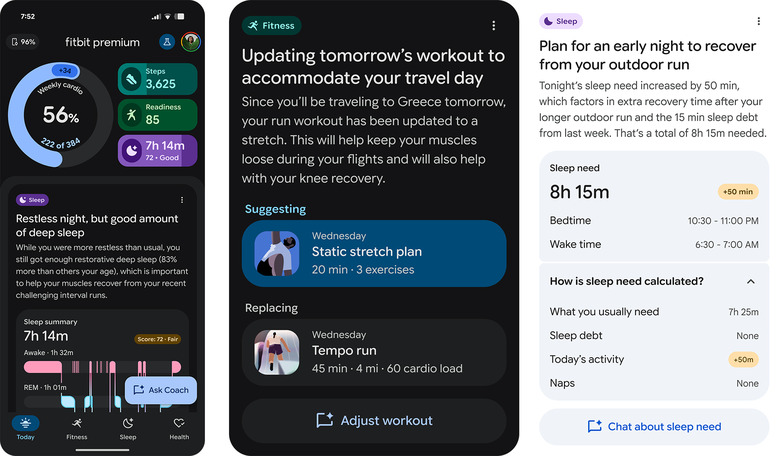
- Look for the large donut-shaped progress ring labeled “Cardio Load” or “Weekly Load.”
This ring shows your current weekly score, your personalized target range, and progress percentage. Colors indicate your status: green means you’re in the optimal training zone, while yellow to red signals you’re approaching or exceeding overreaching thresholds.
Access Historical Data and Trends
Tap the ring to see a 7-day graph of your daily contributions, comparison to overreaching levels, and your 4-week average used to calculate the target. This helps you spot patterns, such as whether weekend workouts are compensating for busy weekdays.
Why Cardio Load Might Be Missing
Not Enough Wear Time
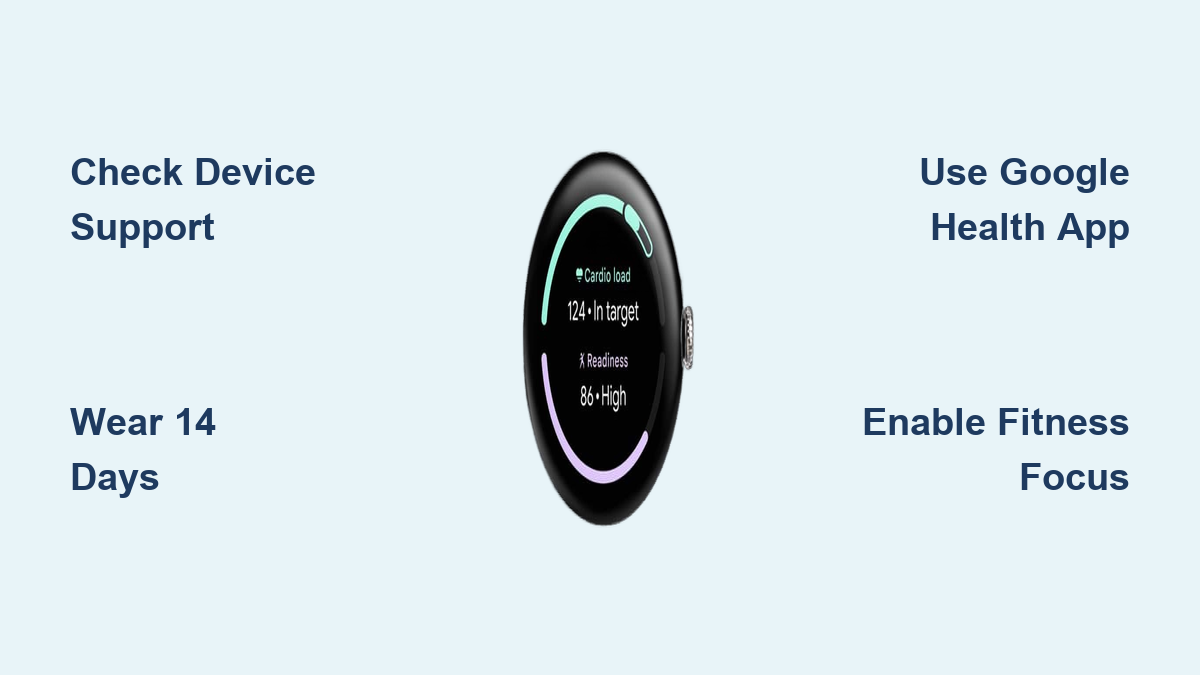
Fitbit requires 14 days of continuous wear, including sleep, to generate your personalized Target Load. During this time, your device collects data on resting heart rate, heart rate variability, daily movement, and sleep patterns. After 14 days, the system establishes a baseline and unlocks full Cardio Load functionality. Wear your watch to bed every night during setup, because skipping sleep tracking delays activation.
Device Not Supported
Double-check compatibility before troubleshooting further. Supported devices include Pixel Watch 1 through 4 and Fitbit Charge 6. Unsupported devices include Fitbit Sense, Versa, Inspire, and Charge 5 or earlier. There is no workaround for unsupported devices.
App Sync or Update Issues
If Cardio Load still doesn’t appear, try these steps:
- Force close and reopen the Fitbit or Google Health app.
- Check for app updates in the App Store or Play Store.
- Ensure your device firmware is up to date by opening the Fitbit app, selecting Devices, choosing your device, and checking for updates.
- Restart your phone and watch.
- Re-pair the device if necessary.
How Cardio Load Actually Works
Based on Modified TRIMP Algorithm
Cardio Load uses a sports science model called TRIMP (Training Impulse), adapted for everyday users. It calculates your load by combining the duration of elevated heart rate with intensity, weighted non-linearly. One minute at 170 bpm contributes roughly 3x more to your load than one minute at 140 bpm, even if both are considered “vigorous.” This reflects real physiology, since pushing a high heart rate demands exponentially more effort.
Movement and Heart Rate Verification
To prevent false readings, the system checks accelerometer data alongside heart rate. If your heart rate spikes due to stress or caffeine but you’re not moving, it won’t count toward Cardio Load. Only physical exertion that raises your heart rate and involves motion is included.
Minimum Threshold Applies
Very light activities like slow walking or cooking may not elevate your heart rate enough to meet the minimum intensity threshold. These contribute zero points, ensuring the metric reflects meaningful cardiovascular strain.
Weekly vs. Daily Cardio Load: What Changed?
Old Model: Daily Targets Caused Confusion
Initially, Fitbit used daily Cardio Load goals, which proved problematic. Targets changed too much day to day, users were flagged as “undertraining” after rest days, and hard workouts triggered “overreaching” warnings even with low weekly totals. Many users called the system unrealistic and even dangerous.
New Model: Weekly Target for Real Life
Now, Fitbit uses a rolling weekly target based on your last 4 weeks of activity. You can bank load on active days to cover rest days, which accommodates unpredictable schedules and reduces pressure to hit daily quotas. The weekly ring replaces daily bars, giving a clearer, more forgiving progress view.
Using Cardio Load with Daily Readiness
What Is Daily Readiness?
Available on premium devices, Daily Readiness scores tell you whether your body is prepared to handle stress. It combines sleep duration and quality, resting heart rate, and heart rate variability. Score ranges indicate high readiness (ready to train hard) or low readiness (body needs recovery).
Combine With Cardio Load for Smarter Training
Use both metrics together for optimal results. When readiness is high and weekly load is below target, push harder. When readiness is low and weekly load is near or above target, rest or do recovery work only. This dynamic pairing helps prevent overtraining and injury.
Cardio Load vs. Active Zone Minutes: Key Differences

Cardio Load focuses on training optimization and staying in a target range, while Active Zone Minutes (AZM) focus on meeting health guidelines like 150 minutes of moderate activity per week. Cardio Load uses non-linear, intensity-weighted scoring based on exact heart rate and movement data, making it ideal for runners and athletes. AZM uses linear time counting with a multiplier, making it better suited for general wellness users.
A 30-minute vigorous jog might earn 30 AZM but approximately 210 Cardio Load points, because Cardio Load rewards higher effort disproportionately.
Pro Tips to Maximize Cardio Load Accuracy
Wear Your Device Correctly
Wear your device snugly, one to two fingers above the wrist bone, and keep it flat against the skin. Avoid loose placement during workouts, since poor fit leads to inaccurate heart rate readings and missed load points.
Let It Learn Your Baseline
For the first 14 days, focus on consistency. Wear it 24/7, sleep with it every night, and do normal activities and workouts. The system learns your resting physiology to personalize future targets.
Don’t Ignore Background Load
You don’t need to work out to earn points. Activities like climbing stairs, carrying groceries, and walking the dog can contribute if they raise your heart rate above threshold. This makes Cardio Load a true measure of total daily exertion, not just gym time.
Troubleshooting Common Issues
“I Work Out Hard But My Load Is Low”
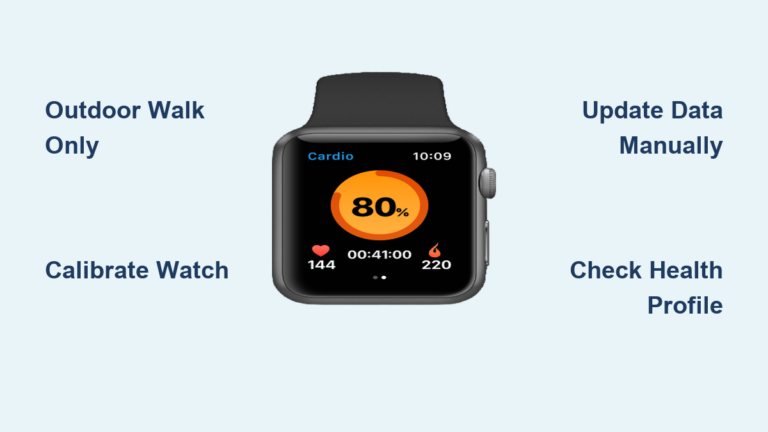
Check whether your max heart rate is correctly set in your profile’s personal info section. If set too high, your zones will be off. Also verify that movement was detected, since arm-only workouts like boxing may register poorly. Finally, check whether you exceeded the overreaching cap, because very long or hard sessions stop adding points past safety limits.
“My Target Keeps Changing”
This is normal. The target adapts by rising if you consistently beat it and falling after inactivity such as vacation or injury. It’s designed to evolve with your fitness.
“I Want to Turn Off Coaching Advice”
Some users dislike notifications like “Take it easy today.” To disable them, open the Fitbit or Google Health app, tap Settings, select Notifications, and toggle off Fitness Coaching or Readiness Alerts. You’ll still see raw data without suggestions.
Frequently Asked Questions About Cardio Load on Fitbit
Which Fitbit devices support Cardio Load?
Cardio Load is available on Pixel Watch 1, 2, 3, and 4, as well as the Fitbit Charge 6. The Charge 6 tracks data in the background but requires the smartphone app to view metrics. No other Fitbit models currently support this feature.
How long does it take for Cardio Load to appear?
You need 14 days of continuous wear, including sleep tracking, for the system to establish your baseline and generate a personalized Target Load. Skipping nights during this period delays activation.
Why did Fitbit switch from daily to weekly Cardio Load targets?
Users found daily targets too volatile and often received confusing “undertraining” warnings after rest days. Weekly targets are more stable and accommodate real-life schedules, allowing you to bank load on active days.
What’s the difference between Cardio Load and Active Zone Minutes?
Cardio Load uses a non-linear TRIMP algorithm that weights intensity heavily, making it ideal for athletes tracking training stress. Active Zone Minutes use linear time counting aligned with health guidelines, making it better for general wellness goals.
Can I view Cardio Load on my watch face?
On Pixel Watch devices, yes. You can add tiles like “Readiness & Load” or “Morning Brief” to display weekly progress. The Fitbit Charge 6 does not display Cardio Load on its screen, so you must check the app.
Does Cardio Load count stress or caffeine-induced heart rate spikes?
No. The system cross-references heart rate with accelerometer data to verify movement. If your heart rate is elevated without physical motion, it does not contribute to Cardio Load.
Key Takeaways for Unlocking Cardio Load on Fitbit
Getting Cardio Load on Fitbit requires the right device, proper setup, and patience. Start by confirming your device is compatible, then download the correct app (Google Health for Android, updated Fitbit app for iOS) and select “Build Cardio Fitness” as your focus. Wear your device consistently for 14 days to establish your baseline, then use the weekly progress ring and Daily Readiness score to guide your training intensity.
Once active, Cardio Load becomes one of the most insightful tools for understanding your true cardiovascular effort. By shifting from daily stress checks to weekly load management, Fitbit has created a smarter, safer way to train that fits real life. Check your device compatibility today, complete the setup, and let your first two weeks of data unlock personalized insights that keep you in the fitness sweet spot.