How to Calculate Cardio Load
You’ve seen the number on your fitness app, but what does Cardio Load actually mean? Unlike step counts or workout minutes, Cardio Load measures the real physiological stress your heart experiences from both structured exercise and daily movement. It captures not just how long you moved, but how hard your cardiovascular system worked during that time. Using algorithms based on heart rate, duration, and personal biometrics, Cardio Load delivers a single score reflecting your true training strain. In this guide, you’ll learn exactly how to calculate Cardio Load, interpret your results, and use the data to train smarter at any fitness level.
The Science Behind Cardio Load
What Cardio Load Actually Measures
Cardio Load quantifies the cumulative strain on your cardiovascular system using a personalized, science-backed model. It goes beyond tracking steps or calories by measuring how much stress your heart endured based on both intensity and duration of elevated heart rate. Every minute your heart beats above a baseline threshold, whether during a sprint, a brisk walk, or carrying groceries, contributes to your daily score. The system uses your age, sex, resting heart rate, and maximum heart rate to tailor the calculation, ensuring the load reflects your body’s response, not a generic average.
Crucially, Cardio Load distinguishes physical exertion from emotional stress. Even if your heart rate spikes due to anxiety, the algorithm cross-references movement data. If there’s no motion, no load is recorded. This ensures the metric reflects true physical effort, not psychological arousal. The result is a dynamic, daily score that tells you whether your training is stimulating adaptation, maintaining fitness, or risking burnout.
How It Differs From Active Zone Minutes
While Active Zone Minutes (AZM) count time spent in moderate or vigorous heart rate zones with vigorous minutes doubled, Cardio Load uses a more sophisticated approach. AZM is designed to meet public health guidelines of 150 minutes of moderate activity per week and serves as a pass/fail health target. Cardio Load, however, is built for performance. It uses a modified TRIMP model that applies exponential weighting to higher heart rates.
For example, a 30-minute jog at 70% max HR might earn 40 Cardio Load, while a 30-minute interval session peaking at 90% max HR could earn 120+ Cardio Load. The same duration produces vastly different stress scores. This makes Cardio Load ideal for athletes and fitness enthusiasts who need precision, not just activity volume. Where AZM asks “Did you move enough?”, Cardio Load answers “Was it hard enough to make you better?”
TRIMP: The Math Behind the Metric

Core Formula and Weighting Logic
Cardio Load is calculated using a variation of the TRIMP model, a gold standard in sports science. The basic formula multiplies duration by intensity by a weighting factor. Here’s how each component works:
- Duration: Total minutes with heart rate above a minimum threshold, typically 50–60% of HR max. Light activities like walking the dog count if your heart rate stays elevated.
- Intensity: Average heart rate during the activity, expressed as a percentage of your personal max or heart rate reserve.
- Weighting Factor: Exponential multiplier that increases dramatically as heart rate rises. Time spent at 85% HR max contributes far more per minute than time at 65%.
This non-linear scaling means that high-intensity efforts like HIIT or hill sprints generate disproportionately high Cardio Load, accurately reflecting their greater physiological demand. The relationship is exponential; doubling your heart rate does not double the load.
Personalization Through Biometrics
The algorithm personalizes the calculation using several key inputs:
- Age and sex: Estimate max heart rate (e.g., 220 minus age) if not manually set.
- Resting Heart Rate (RHR): Lower RHR indicates higher fitness, affecting how load is interpreted.
- Heart Rate Reserve (HRR): The difference between max and resting HR. Using HRR versus max HR alone makes intensity calculations more accurate.
For example, two people doing the same 30-minute run may have different Cardio Load scores if one has a lower RHR and higher fitness level. The fitter person’s heart works less hard at the same pace, so their load is lower, reflecting greater efficiency.
Daily vs. Weekly Load Tracking
Why Weekly Targets Work Better
Early fitness trackers used daily goals, but real life isn’t that predictable. Meetings, fatigue, and schedule changes make daily targets stressful and unrealistic. That’s why modern systems use personalized weekly Cardio Load targets.
You start each day at zero, but your efforts accumulate across the week. This allows flexibility. Miss a morning run? Make it up with an evening walk. Have a heavy training day? Follow it with active recovery or rest. The weekly model smooths out daily fluctuations and focuses on sustainable trends. It’s not about perfection every day; it’s about staying in your optimal range over time.
How Weekly Targets Are Set
Your weekly Cardio Load target isn’t arbitrary. It’s dynamically adjusted based on several factors:
- Training Goal: Maintain matches your recent average load, while Improve pushes slightly above your average to stimulate adaptation.
- Acute to Chronic Workload Ratio (ACWR): Acute Load covers the last 7 days, while Chronic Load averages the past 4 weeks. If acute is much higher than chronic, your injury risk increases, so the target adjusts to prevent overreaching.
- Recovery Metrics: Sleep quality, RHR, and HRV influence readiness. Poor sleep or elevated RHR may lower the target to encourage rest.
This adaptive system ensures your goal evolves with your fitness, not against it.
Interpreting Your Cardio Load Data

Understanding Training Status Categories
Your Cardio Load isn’t just a number; it’s a signal. Platforms translate the Acute versus Chronic Load balance into actionable training statuses:
| Status | Meaning | Action |
|---|---|---|
| Calibrating | First 1–4 weeks; not enough data | Keep wearing your device daily |
| Detraining | Recent load far below chronic average | Increase duration or intensity |
| Maintaining | Acute roughly equals Chronic (ratio ~1.0) | Stay consistent |
| Productive | Slight overload with recovery | Ideal for fitness gains |
| Fatigued | High acute load, low recovery | Reduce intensity; prioritize rest |
| Overtraining | Acute far exceeds Chronic with no recovery | Take a break; avoid hard workouts |
These categories help you respond before injury or burnout occurs, turning data into decisions.
Reading the Cardio Load Ratio
Some systems display a Cardio Load Ratio (Acute divided by Chronic):
- Below 0.8: Undertraining with detraining risk
- 0.8–1.3: Optimal range for progress with recovery
- Above 1.3: High fatigue with overtraining risk
Staying in the 0.8–1.3 sweet spot maximizes long-term gains. For example, if your chronic load is 500, aim for weekly totals between 400 and 650.
Setting Up Cardio Load on Your Device
Compatible Devices and Setup Steps
Cardio Load is available on several platforms, with Google Health and Fitbit leading in consumer accessibility.
Supported Devices:
– Pixel Watch (1–4)
– Fitbit Charge 6, Charge 5, Versa 4, Versa 3, Versa 2, Sense 2, Sense, Luxe, Inspire 3, Inspire 2, Fitbit Air
Setup Process:
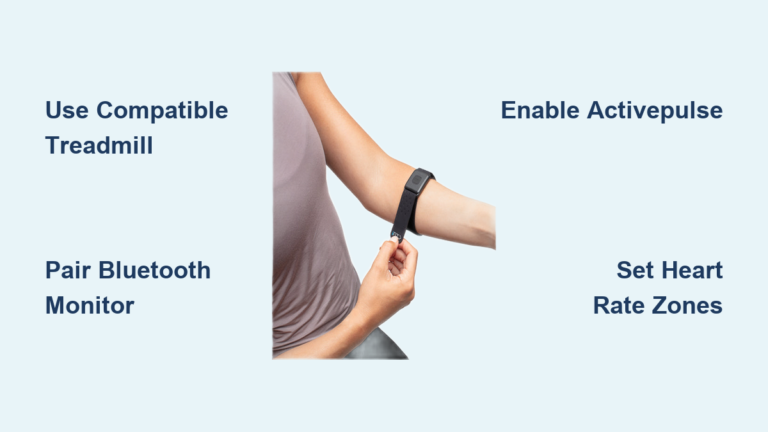
1. Open the Google Health or Fitbit app.
2. Go to the Today tab and tap the Cardio Load tile.
3. Select your goal: Maintain or Improve cardio fitness.
4. Wear your device 24/7 for at least 7 days to generate a target. Twenty-eight days is optimal for full calibration.
Customizing the Dashboard
On Pixel Watch, you can add the Cardio Load tile by swiping to any tile, long pressing, tapping “Add,” and selecting “Cardio Load.” Position it with arrows as desired. To remove, swipe to the Cardio Load tile, long press, and swipe up to delete.
Troubleshooting Common Issues
Why Your Target Feels Too High or Low
It’s common to question your Cardio Load target. Here’s why it might feel off and what to do:
Target Seems Too Low: You may have poor recovery metrics like low HRV, high RHR, or bad sleep. Focus on rest; the system is protecting you from overtraining.
Target Seems Too High: You’ve been consistently active, so your chronic load is high. Break the week into chunks with two medium days, one hard day, and two easy days.
Sudden Target Changes: After a rest week, the target drops to prevent injury when restarting. After heavy training, the target rises to match improved fitness. Trust the trend and let the algorithm guide your return to routine.
Optimizing Training With Cardio Load
Balancing Work and Recovery
The biggest mistake is treating Cardio Load as a number to max out every week. More is not better. The goal is intelligent progression.
Pro Tips:
– Hard Days: Push into high heart rate zones to earn load quickly.
– Easy Days: Keep heart rate low in Zones 1–2. These days should not add much load; they aid recovery.
– Rest Days: Zero load is okay. Let your body adapt.
Over time, consistent, balanced effort beats sporadic heroics. A 500-load week with two hard sessions and five easy days beats a 700-load week with no recovery.
Using Load for Cognitive Performance
High Cardio Load impacts more than your legs; it affects your brain. Elevated load suppresses HRV, increases RHR, and reduces sleep quality, all of which impair focus and decision-making.
Smart Scheduling:
– High Load Days: Schedule light cognitive work like emails, admin, or creative brainstorming.
– Low Load Days with High Readiness: Tackle deep work, meetings, or learning.
This syncs physical and mental performance, helping you thrive in both fitness and life.
When to Seek Medical Advice
Limitations and Safety Considerations
Cardio Load is a powerful tool, but it’s not a medical device. If you have heart conditions, arrhythmias, hypertension, or take medications that affect heart rate such as beta blockers, your Cardio Load may not reflect true effort. Beta blockers lower max heart rate, making high-intensity zones harder to reach and underreporting strain.
Always consult your doctor before starting a new training program, especially if you’re managing a health condition. Use Cardio Load as a guide, not a diagnosis.
Comparing Cardio Load Across Platforms
Fitbit vs. Garmin vs. WHOOP
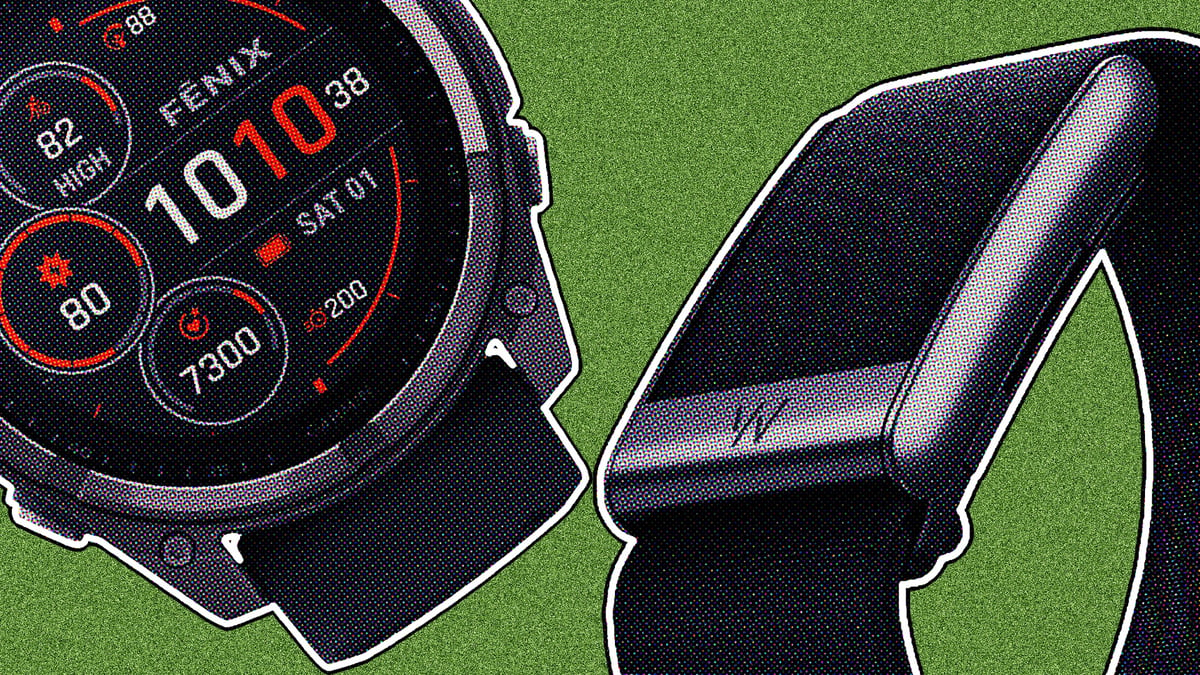
While the core concept is similar, platforms use different names and features:
| Platform | Metric | Key Differences |
|---|---|---|
| Fitbit / Google Health | Cardio Load | Weekly target, flexible, integrates with health app |
| Garmin | Training Load | Focus on Acute/Chronic ratio, daily load tracking |
| WHOOP | Strain | 0–21 scale, daily target, recovery-driven |
All use TRIMP-style math, but Fitbit’s weekly model is best for casual users, while WHOOP’s daily strain suits elite athletes. Choose based on your lifestyle and goals.
Frequently Asked Questions About Cardio Load
What is a good Cardio Load score?
A good Cardio Load score depends on your fitness level, training history, and personal target. The absolute number is arbitrary; what matters is staying within your personalized weekly target range, typically maintaining an Acute to Chronic ratio between 0.8 and 1.3 for optimal progress.
How long does it take to calibrate Cardio Load?
The algorithm requires at least 7 consecutive days and nights of wearing your device to generate an initial target. For maximum accuracy, continuous wear for 28 days (4 weeks) is recommended to establish a robust chronic baseline.
Can Cardio Load account for stress or anxiety?
No. The system uses movement sensors in conjunction with heart rate data to distinguish physical exertion from emotional stress. If your heart rate is elevated but no corresponding movement is detected, the load is not accrued, ensuring the metric reflects physical training stress rather than psychological arousal.
Why does my Cardio Load target keep changing?
Your target adjusts dynamically based on your Acute to Chronic Workload Ratio, training goal, and recovery metrics. A week of rest lowers the target to prevent injury upon return, while a week of intense training raises it to match improved fitness.
Does Cardio Load work with beta blockers or heart medications?
Cardio Load may not accurately reflect effort if you take medications that affect heart rate, such as beta blockers. These drugs lower max heart rate, making high-intensity zones harder to reach and potentially underreporting strain. Consult your doctor for personalized guidance.
How is Cardio Load different from calories burned?
Calories burned measure energy expenditure, while Cardio Load measures physiological stress on your cardiovascular system. Two activities can burn similar calories but produce vastly different Cardio Load scores depending on heart rate intensity and duration.
Key Takeaways for Calculating Cardio Load
Cardio Load transforms raw heart rate data into a smart, adaptive training guide using the TRIMP model with personalization through age, sex, resting heart rate, and heart rate reserve. Weekly targets outperform daily goals by accommodating life’s unpredictability while maintaining focus on sustainable progress. The key to success is staying in your optimal range, typically an Acute to Chronic ratio between 0.8 and 1.3, and balancing hard efforts with genuine recovery.
Your next step: wear your device consistently for the next 7 days, check your Cardio Load tile in the app, and note your personalized weekly target. Then plan your week around that number, mixing hard sessions with easy days, and watch how your fitness responds over the following month.