Fitness Tracker Privacy Concerns Explained
You strap on your fitness tracker every morning to count steps, monitor sleep, and check your heart rate, trusting it like a personal health assistant. But behind that glowing screen, your device is collecting far more than you realize. Millions of users overlook critical fitness tracker privacy concerns, assuming their health data is protected like medical records. It is not. Your workout routes, sleep cycles, and even stress levels could be flowing to advertisers, insurers, or data brokers without your explicit knowledge.
Unlike medical files protected by HIPAA, most consumer wearable data sits in a legal gray zone. While GDPR and CCPA offer partial safeguards, enforcement is patchy and loopholes are common. A 2018 breach at Under Armour’s MyFitnessPal exposed 150 million accounts. That same year, Strava’s public heatmap accidentally revealed secret military bases, proving that individual fitness data can carry global consequences.
This guide breaks down the hidden risks of wearables, flags the brands with the worst privacy records, and shows you exactly how to lock down your data. You will learn to identify data-hungry apps, configure devices for maximum privacy, and use open-source tools to keep your biometrics off corporate servers.
Decode Your Tracker’s Data Footprint
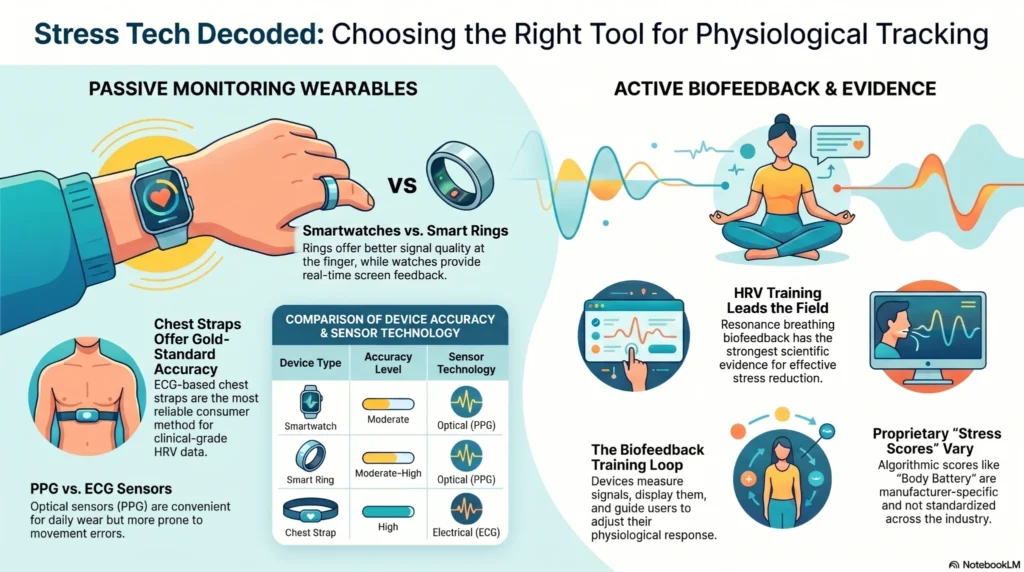
Fitness trackers build a detailed digital twin of your life. They continuously record heart rate variability, blood oxygen levels, GPS routes, sleep stages, stress scores, and sometimes voice samples. When combined with your location history, this creates a behavioral profile so precise it can predict illness, emotional states, and daily routines.
What Data Your Tracker Actually Collects
- Biometric Data: Continuous heart rate, blood oxygen (SpO2), skin temperature, ECG readings
- Behavioral Patterns: Sleep duration and quality, active minutes, workout intensity
- Location Trails: GPS routes for runs, bike rides, and hikes, often stored indefinitely
- Personal Inferences: Menstrual cycle predictions, ovulation windows, stress alerts
This is not just “lifestyle data.” In the wrong hands, it can be used to:
- Adjust insurance premiums based on health risks
- Influence hiring decisions through workplace wellness programs
- Enable stalking via publicly visible route maps
- Fuel targeted advertising based on health conditions
Even data labeled as “anonymized” can frequently be re-identified when cross-referenced with other datasets, a major flaw in current privacy claims.
How Data Travels From Wrist to Cloud
Most trackers follow this path:
- On-device collection: Sensors gather raw data
- Bluetooth sync: Data transfers to your phone
- App processing: The manufacturer’s app analyzes the data
- Cloud upload: Data is stored on remote servers
- Third-party sharing: Data is shared with analytics firms, advertisers, or partners
At each stage, there is a risk of interception or misuse, especially if encryption is weak or absent.
Spot the High-Risk Tracker Brands

Not all fitness trackers treat your data equally. Some brands prioritize user privacy; others treat your biometrics as advertising fuel. Here is how to identify the red flags.
Google (Fitbit): Forced Data Integration
After acquiring Fitbit in 2019, Google mandated account migration to Google accounts by February 2025, or users lose device functionality. This forces biometric data into Google’s advertising ecosystem, despite earlier promises not to use it for ads.
- Privacy Risks:
- Mandatory Google account linking
- Retains the right to sell anonymized data
- Aggressive push toward Fitbit Premium subscriptions
- User Impact: No opt-out without rendering hardware useless
Amazon and Meta: Data Monetization Machines
Devices under these brands are designed for data harvesting.
- Amazon’s Halo line collects voice tone analysis, raising eavesdropping concerns
- Meta’s wearables integrate with Facebook profiles
Both rely on targeted ads as core revenue, making privacy-by-design unlikely.
Samsung: Excessive Permissions, Uncertain Future
Mozilla Foundation rated Samsung as “creepy” due to demanding setup requirements:
- Requires a phone number for two-factor authentication
- Asks for contacts, location, and nearby devices
- Galaxy AI features are free only through the end of 2025, hinting at future paywalls
Additionally, the Galaxy Fit 3 (priced at $55) is Android-only, with rumors of discontinuation.
Xiaomi and Amazfit: Cheap Hardware, Risky Apps
While Amazfit watches offer excellent battery life and GPS, the Zepp app is the weak link:
- Proprietary cloud storage with opaque policies
- Limited transparency on data jurisdiction
- Known to send data to third-party analytics servers
Mitigation is possible using Gadgetbridge, covered in detail below.
Choose Privacy-First Alternatives
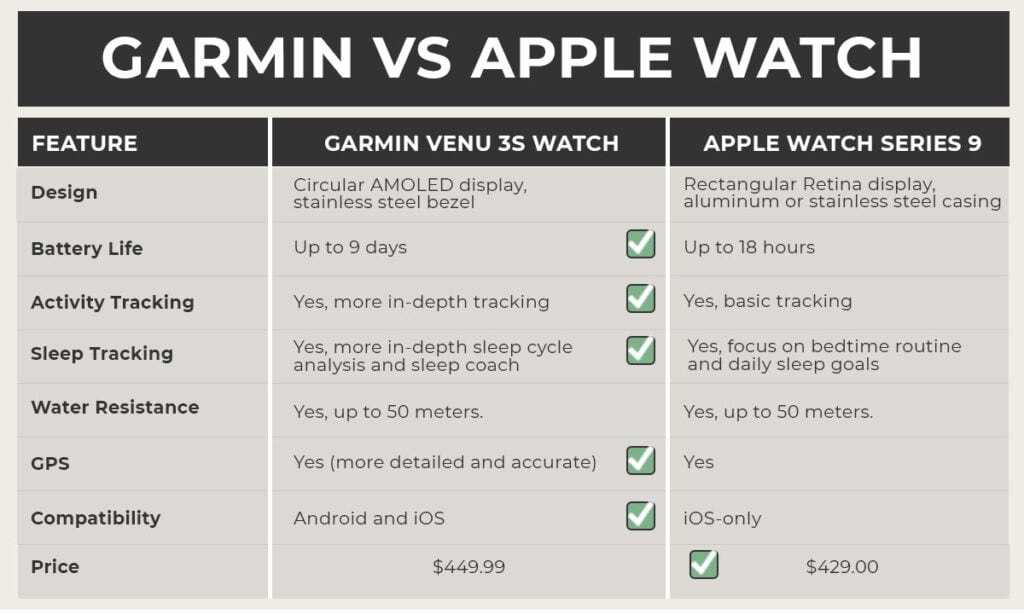
You do not have to sacrifice functionality for privacy. Several brands and tools let you retain control over your data.
Garmin: Leader in Consumer Privacy
Garmin stands out for its non-ad-based business model and strong privacy posture:
- No mandatory subscription for core features
- Sleep, nap, and wheelchair tracking included
- Offline-first design with long battery life (7 to 14+ days)
- Data syncs only when you choose
Limitation: Full analytics require Garmin Connect, which needs internet access.
Coros: Minimal Data, Maximum Control
Coros appeals to privacy-focused athletes:
- Account setup requires only an email (no name needed)
- Core data (steps, sleep, GPS) stays local and exportable
- Works without Google Play Services
Caveat: Advanced metrics like Training Load need internet for cloud rendering.
Apple: Strong Encryption, Ecosystem Lock-In
Apple emphasizes privacy through:
- End-to-end encryption for Health data
- On-device processing for most features
- No data sold to advertisers
Trade-offs exist:
- Requires an iPhone
- Battery lasts approximately 18 hours, meaning daily charging disrupts sleep tracking
- No support for GrapheneOS or alternative Android forks
Some users pair Apple Watch with a secondary, hardened iPhone to reduce exposure.
Withings: GDPR-Compliant, But Not End-to-End Encrypted
French brand Withings follows GDPR strictly:
- Claims not to sell or share health data
- Uses AES-256 encryption and TLS 1.2 or higher
However:
- No end-to-end encryption, so Withings can access your data
- Blocks disposable email services like Guerrilla Mail
- No built-in GPS; relies on your phone
Exploit Open-Source Tools for Full Control
You can break free from proprietary ecosystems using open-source software.
Use Gadgetbridge to Bypass Manufacturer Clouds
Gadgetbridge is an open-source Android app that intercepts communication between your tracker and phone, blocking cloud uploads entirely.
How It Works
- Install the official app (such as Zepp for Amazfit) temporarily
- Extract the authentication token during pairing
- Pair the device with Gadgetbridge
- Uninstall or block network access to the original app
Result: All data stays local. No account needed. No cloud sync.
Supported Devices
- Amazfit (Bip, GTR, Balance)
- Garmin (limited support)
- Pebble (full support)
Limitation: Newer Zepp OS versions may restrict AGPS or GPX uploads in Gadgetbridge.
Run Open-Source Operating Systems on Your Watch
Replace closed firmware with privacy-respecting alternatives.
AsteroidOS
- Open-source OS for Linux smartwatches such as Fossil Gen 5
- No Google services, customizable interface
- Requires technical skill to flash
Rebble (Pebble)
- Community-run servers keeping Pebble watches alive
- Full offline functionality
- No data ever leaves your device
PineTime
- Budget smartwatch by Pine64 with open hardware and software
- Beta stage; ideal for tinkerers
- Supports NimBLE, LVGL, and Zephyr OS
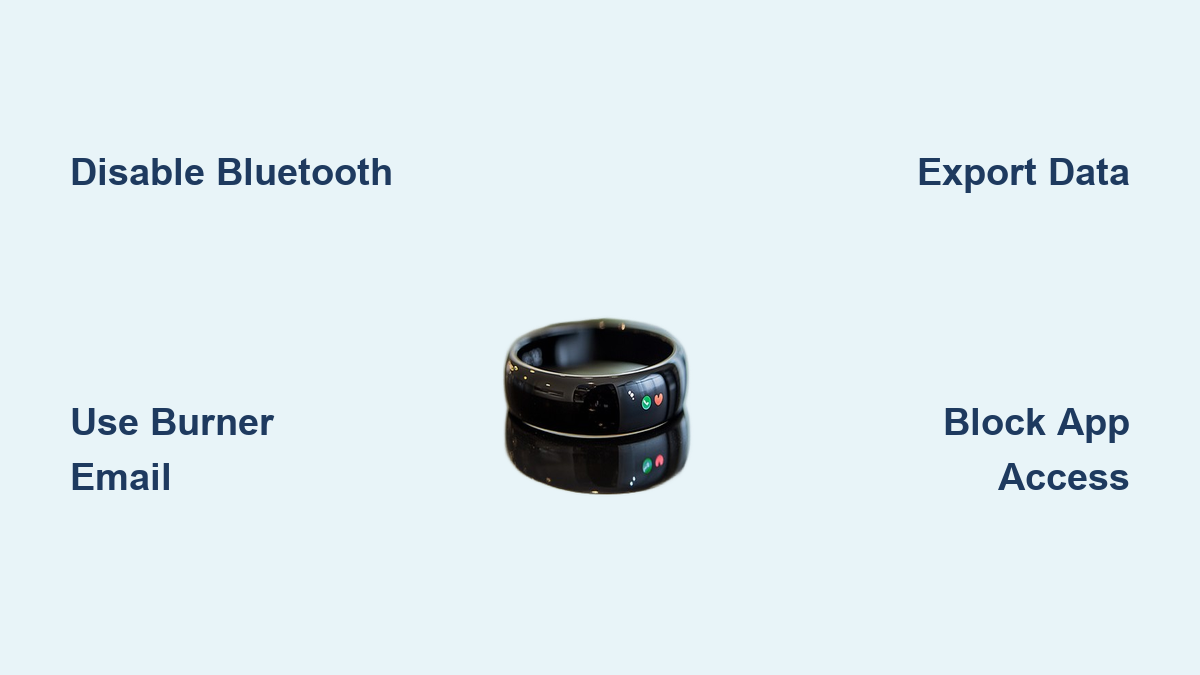
Lock Down Your Tracker in 7 Proven Steps

Follow these configurations to minimize your data exposure.
1. Disable Unnecessary Connectivity
Prevent background data leaks:
- Turn off Wi-Fi and Bluetooth on the watch when not syncing
- Use Airplane Mode during workouts if sensors record offline
- Re-enable only for manual sync
2. Block App Network Access
On Android:
- Go to Settings > Apps > [Fitness App] > Mobile Data and Wi-Fi
- Toggle off “Allow background data” and “Unrestricted data usage”
- Force the app into offline-only mode
3. Minimize Data Collection
Reduce your footprint:
- Disable GPS tracking if navigation is not needed
- Turn off social sharing features like public profiles and live routes
- Deny permissions for contacts, microphone, and camera
4. Use Burner Accounts
Avoid identity linking:
- Register with ProtonMail or Tutanota email
- Never use your primary Google, Apple, or Facebook login
- Use email aliases (such as Gmail plus tags)
5. Sync Over Secure Networks
Never upload data on public Wi-Fi:
- Use your home network or mobile hotspot
- Enable a trusted VPN such as ProtonVPN or Kaspersky Secure Connection
- Encrypt traffic to hide destination servers
6. Export and Delete Cloud Data
Retain ownership:
- Regularly export data as FIT, GPX, or CSV
- Delete old records from vendor dashboards
- Store backups locally or in an encrypted cloud like Nextcloud
7. Audit Permissions Monthly
Check what apps can access:
- Review Bluetooth, Location, and Storage permissions
- Test functionality after revoking each permission
- Remove apps that fail without excessive access
Test Trackers Like a Privacy Expert
Before buying, evaluate devices using this professional framework.
Analyze Network Traffic
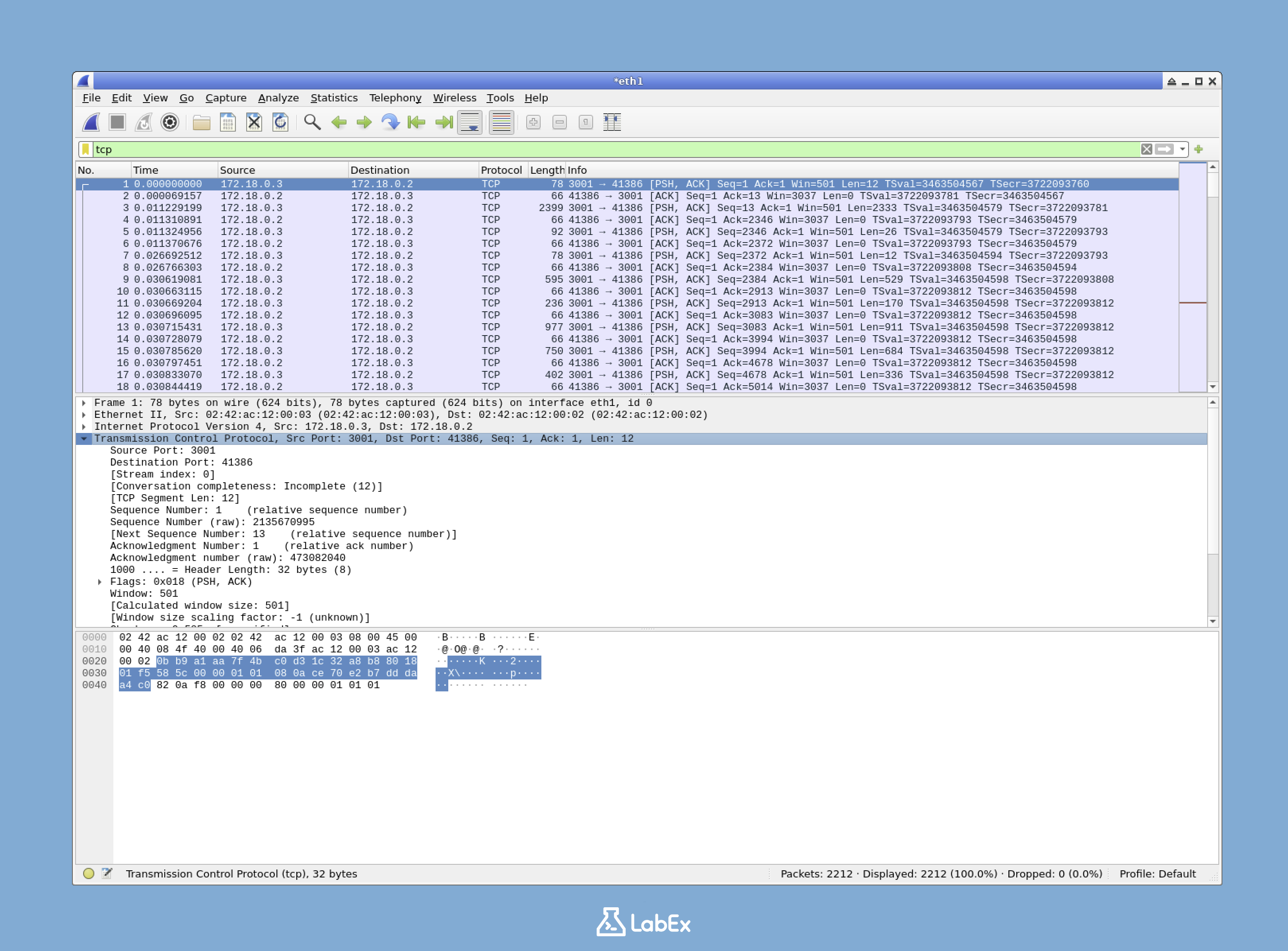
Use Wireshark or Packet Capture (Android) to:
- See destination servers (vendor versus Facebook, Google Analytics)
- Confirm TLS 1.2+ encryption
- Measure data volume during idle versus active states
If the app phones home every five minutes to unknown IPs, walk away.
Verify Offline Functionality
Test real-world resilience:
- Put your phone in Airplane Mode
- Start a GPS run with heart rate monitoring
- Check whether:
– The route records accurately
– Metrics calculate post-workout
– Maps render using cached tiles
Garmin and Coros pass this test. Apple and Fitbit fail without a phone.
Attempt Data Export
Try exporting:
- Full sleep stages
- Heart rate variability (HRV)
- Oxygen saturation (SpO2)
- GPS tracks (GPX)
If export is incomplete or locked behind a paywall, consider it a red flag.
Run the “Dead Hardware” Test
Ask: What if the company shuts down?
- Pebble (via Rebble): Still works
- Fitbit: Likely bricked after server shutdown
- Unbranded Amazon trackers: Zero support
Choose devices with community or open-source lifelines.
Understand the Ethical Risks
Privacy is not just a technical issue; it is a moral one.
Informed Consent Is a Myth
Most users click “Agree” without reading 50-page privacy policies. Updates can change data practices overnight, with no opt-out option. This consent theater undermines user autonomy.
Insurance and Employers Are Watching
Wellness programs often require tracker use. While data is anonymized, aggregated insights could:
- Influence group insurance rates
- Flag “high-risk” employees
- Enable productivity monitoring via stress or sleep scores
Re-identification is increasingly feasible when datasets are cross-referenced.
Right to Modify vs. Vendor Lock-In
Whoop and Oura charge $199 to $840 per year for basic metrics. No payment means no data access. This subscription lock-in turns hardware into disposable tech.
Meanwhile, Apple and Samsung block third-party OS installations, violating the right to repair and modify.
Projects like Rebble and AsteroidOS fight back by restoring user control.
Future-Proof Your Privacy
Until global biometric data laws exist, protection falls on you.
Push for Stronger Laws
Support regulations that:
- Classify continuous biometric data as protected health information
- Require end-to-end encryption by default
- Ban data use in insurance or employment decisions
Prefer Open Standards
Choose devices that support:
- Local-first storage
- Open data formats like FIT, GPX, and TCX
- No mandatory accounts
Stay Informed
Follow trusted sources:
- Electronic Frontier Foundation (EFF)
- Mozilla Foundation’s Privacy Not Included guide
- Open-source communities on XDA, F-Droid, and GitHub
Frequently Asked Questions About Fitness Tracker Privacy Concerns
Are fitness trackers covered by HIPAA?
No. HIPAA generally applies to healthcare providers and insurers, not to consumer wearables. Data collected by your personal fitness tracker falls outside federal medical privacy protections in most cases.
Can fitness tracker data be sold to advertisers?
Yes, in many cases. Brands like Google (Fitbit) and Amazon reserve the right to share or sell anonymized data. Anonymization is not foolproof, and data can often be re-identified when combined with other sources.
What is the safest fitness tracker for privacy?
Garmin and Coros are widely considered the strongest options among major brands. They do not rely on ad-based revenue models, offer offline functionality, and allow data export. For maximum control, pair an Amazfit watch with Gadgetbridge to eliminate cloud uploads entirely.
Can someone stalk me using my fitness tracker?
Yes. If your routes are set to public, stalkers can identify your home address, workplace, and regular jogging paths. Always set profiles to private and disable live route sharing.
Does turning off Bluetooth stop data collection?
Partially. It prevents real-time syncing but does not stop the watch from recording data locally. For full isolation, use Airplane Mode and revoke network permissions from the companion app.
Is open-source software like Gadgetbridge legal?
Yes. Gadgetbridge is a legitimate open-source project. However, extracting authentication tokens from proprietary apps may violate some terms of service, so review your device’s EULA before proceeding.
Key Takeaways for Protecting Your Fitness Tracker Privacy
Your fitness tracker should empower you, not expose you. The most important steps you can take today are choosing privacy-respecting brands like Garmin or Coros, using open-source tools like Gadgetbridge to bypass cloud storage, and rigorously auditing app permissions monthly. Avoid linking your primary Google, Apple, or Facebook accounts, and never sync data over public Wi-Fi without a VPN.
The future of wearables must prioritize user control over corporate profit. Start by exporting your existing data, deleting old cloud records, and switching to a burner email for your fitness accounts. Take back your biometrics before someone else does.
Word Count: ~1,600 words