How to Use a Fitness Tracker
You strapped on your new fitness tracker with high hopes, only to feel buried under confusing metrics and half-understood data a few weeks later. You are not alone. Many devices end up in a drawer because users never learn how to use a fitness tracker beyond glancing at step counts. The truth is, a fitness tracker becomes truly powerful only when you set it up correctly, define your purpose, and build intentional habits around it.
This guide walks you through everything from initial setup and goal setting to protecting your mental health and interpreting key data. By the end, you will know how to turn your wearable into a long-term health partner rather than a short-lived gadget.
Wear It Right: Positioning and Fit Matter
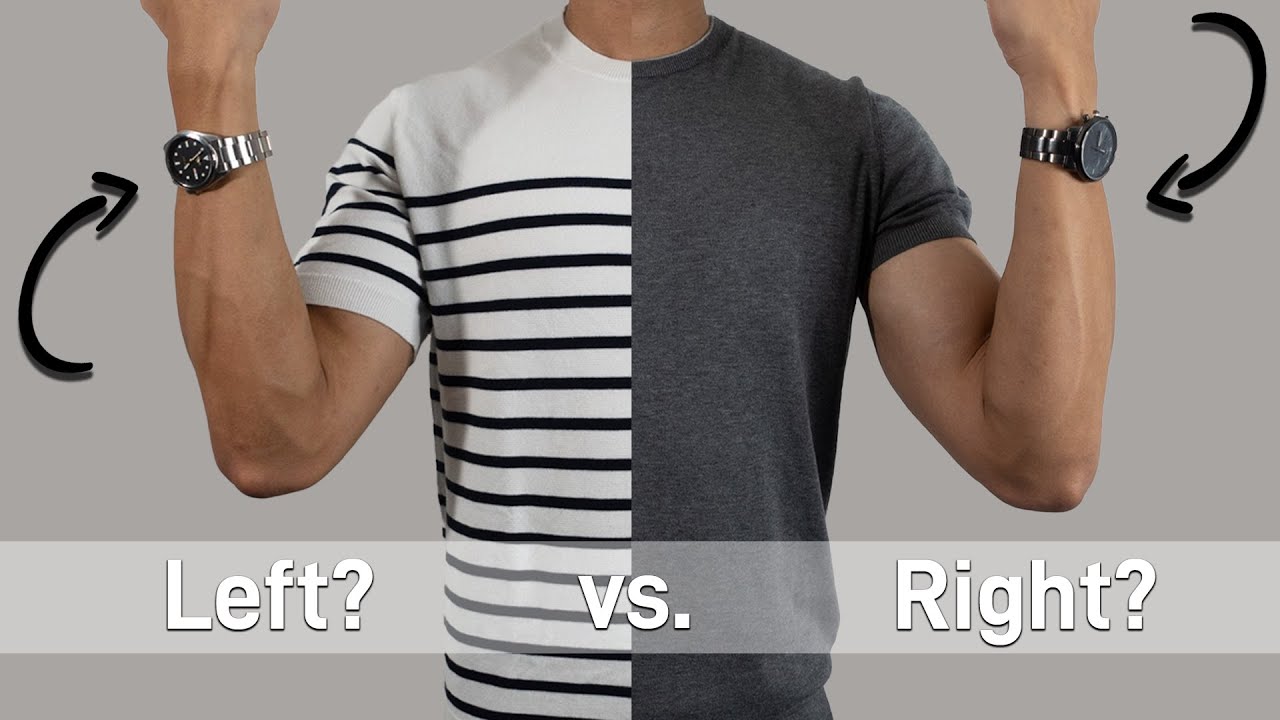
Choose the Non-Dominant Wrist
Always wear your tracker on your non-dominant wrist, the one you do not write or gesture with. For most people, that means the left wrist. Wearing it on your dominant hand inflates step counts with hand motions like typing, waving, or eating, making your activity data noisier and less accurate.
Adjust for a Snug, Comfortable Fit
The band should feel snug but not tight. A loose fit causes heart rate readings to jump or fail. A fit that is too tight may irritate skin or restrict circulation. You should be able to slide one finger under the band comfortably. If it slips or rotates during movement, tighten slightly. Most trackers offer interchangeable bands, so swap for a different size or material if needed.
Charge Smart and Stay Consistent
Place your charger somewhere visible and routine, like your bedside table or bathroom counter. Charge during a daily habit such as brushing your teeth or showering so you never forget. A dead battery means missing sleep or morning activity data. Aim to charge at the same time each day to avoid gaps in your tracking history.
Set It Up: Initial Configuration Steps

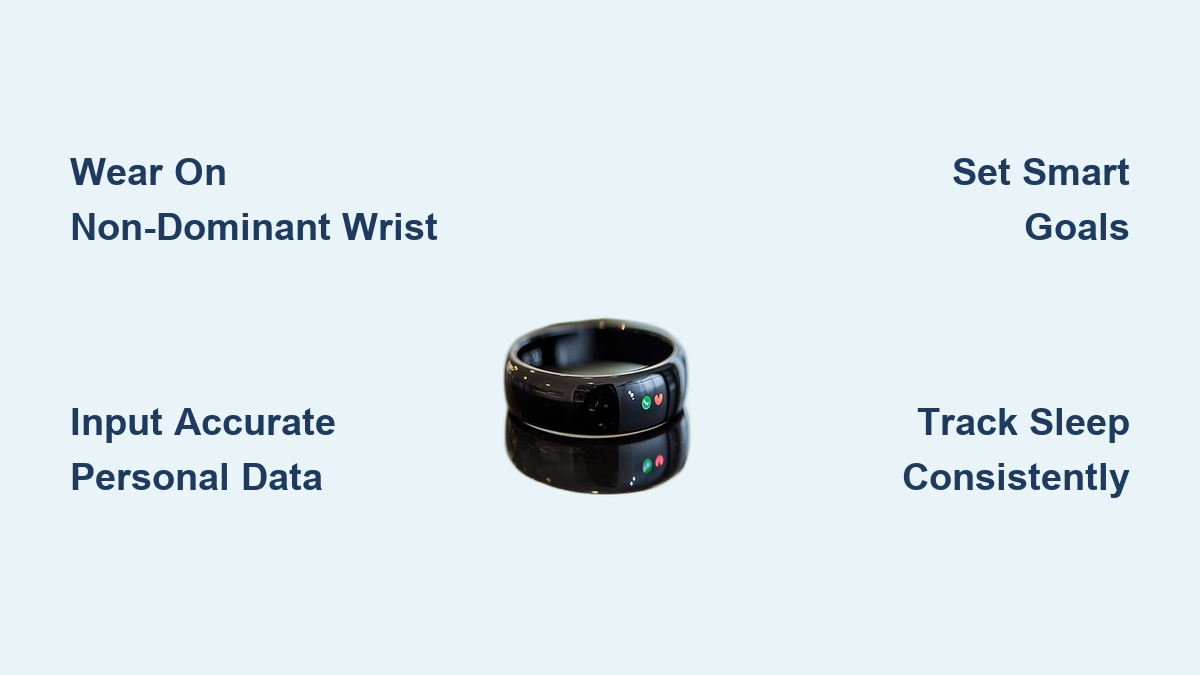
Input Accurate Personal Data
Open your tracker’s companion app and enter your height, weight, age, and gender. This information helps the device estimate calorie burn, VO2 max, and Total Daily Energy Expenditure (TDEE). Inaccurate inputs lead to misleading results, so double-check every number before saving.
Calibrate Your Stride Length
For better distance accuracy, manually input your stride length. To measure it:
- Walk 10 natural steps on flat ground.
- Measure the total distance in feet or meters.
- Divide by 10 to get your average stride length.
- Enter this value into your app under stride calibration.
This is especially helpful for runners and walkers using GPS-free tracking.
Sync With Health Apps
Connect your tracker to other tools for a complete health picture:
- MyFitnessPal or Lose It! to match activity with calorie intake
- Zwift or Strava for runners and cyclists
- Clue or Flo to track activity across menstrual cycles
- Withings or Fitbit Aria smart scales for body composition trends
Integration removes guesswork and reveals deeper patterns over time.
Define Your Why: Goal Setting That Works
Match Goals to Your Purpose
Do not chase default targets like 10,000 steps unless they serve your actual goal. Customize based on your motivation:
- Weight loss? Focus on daily calorie burn and step consistency.
- Training for a 5K? Prioritize active minutes, heart rate zones, and weekly mileage.
- Improving sleep? Track sleep stages and bedtime regularity.
- Managing stress? Monitor resting heart rate and recovery metrics.
Use SMART Goals
Set targets that are:
- Specific: “Walk 8,000 steps daily” rather than “move more”
- Measurable: Track progress with numbers
- Achievable: If you average 4,000 steps, do not jump to 12,000. Start with 6,000.
- Relevant: Aligned with your health goals
- Time-bound: “Hit 7,500 steps for 5 days this week”
Start small. A 10% weekly increase builds sustainable momentum.
Customize Your Dashboard: Focus on What Matters
Display Only Key Metrics
Avoid data overload. Customize your watch face to show only 2 to 3 important stats like steps, heart rate, or active minutes. If you are training for endurance, display time in zone. If stress is high, show HRV (Heart Rate Variability). Hide metrics that do not serve your goal or cause anxiety, such as calorie counts for those with disordered eating tendencies.
Manage Notifications Wisely
Turn off non-essential alerts:
- Disable phone notifications like texts and emails to reduce distraction
- Keep move reminders only if they help; turn them off if they create guilt
- Use silent alarms for meditation, hydration, or medication instead
Your tracker should support you, not interrupt your flow.
Track and Interpret Key Metrics
Steps: Measure Daily Movement
Most trackers count steps accurately. The CDC recommends 8,000 to 10,000 steps per day for adults under 65. Use this metric to:
- Compare weekday versus weekend activity
- Identify sedentary days
- Track progress toward walking goals
Wear it constantly, even on lazy days, for honest data.
Calories Burned: Understand TDEE
Total calories burned equals Basal Metabolic Rate (BMR) plus Activity. This helps create a caloric deficit for weight loss. Remember that estimates vary, so use it as a trend rather than an exact number. Input meals in a nutrition app to close the loop.
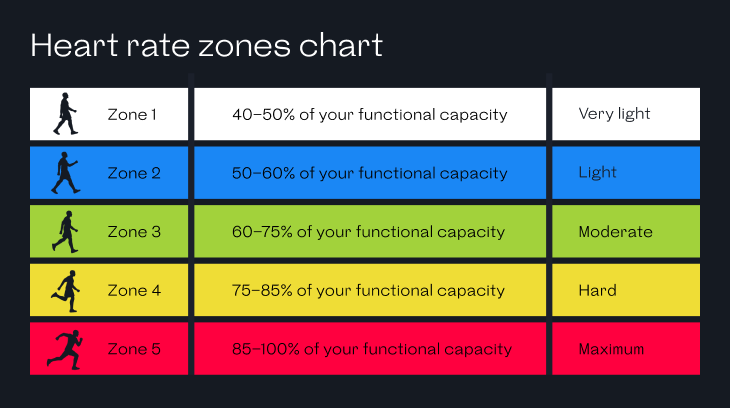
Heart Rate: Know Your Zones
Your tracker shows real-time heart rate and often assigns zones:
- Zone 1 (50–60% max HR): Warm-up, light recovery
- Zone 2 (60–70%): Fat-burning, endurance base
- Zone 3 (70–80%): Aerobic fitness, moderate effort
- Zone 4+ (80%+): High-intensity, anaerobic
Aim for 150 minutes per week in Zones 1 to 3 for general health. Over time, you will learn what Zone 3 feels like without checking your wrist.
Sleep Quality: Track Recovery
Your tracker estimates sleep duration, resting heart rate, and sleep stages (REM, Deep, Light). Use this data to:
- Spot sleep disruptions
- See how late meals or alcohol affect deep sleep
- Adjust bedtime for consistency
Do not obsess over perfect scores. Look for trends over time.
Strain and Recovery: Avoid Overtraining
Advanced trackers like Garmin, Whoop, and Fitbit Premium calculate daily strain and recovery status. They may suggest:
- “High strain, take a rest day”
- “Recovered, push hard today”
But listen to your body first. If you feel mentally drained or sore, do not ignore it just because the device says “go.”
Build Daily Habits for Long-Term Success
Wear It Every Day
Consistency beats perfection. Wear your tracker 24/7, including weekends and rest days. This captures your true baseline of sedentary patterns, sleep quality, and daily rhythms. Skipping days creates blind spots in your data.
Track Sleep, But Know When to Pause
Wear it at night to monitor sleep, unless it causes anxiety. If you wake up stressed about low REM or poor scores, leave it on the nightstand for a few nights. The goal is rest, not data perfection.
Make Charging a Habit
Plug it in during a routine activity such as showering, eating breakfast, or brushing your teeth. This ensures a full battery when you need it most, whether for early morning workouts or overnight sleep tracking.
Stay Motivated: Use Social and Reward Systems
Join Weekly Challenges
Invite friends to step or activity challenges through your app. Many devices, including Apple Watch, Garmin, and Fitbit, support cross-platform invites. Friendly competition boosts accountability and makes fitness fun.
Join Online Communities
Find groups in your app’s social feed, such as “Over 50 Walkers” or “New Moms Fitness.” Sharing struggles and wins builds connection and long-term motivation.
Reward Real Progress
Celebrate streaks and milestones with non-food rewards:
- New workout gear after 30 active days
- A massage after hitting a step goal for two weeks
- A new book or podcast subscription
Positive reinforcement strengthens habit formation.
Protect Your Mental Health
Watch for Unhealthy Obsession
Signs your tracker might be harming more than helping include:
- Feeling like a failure if you miss a goal
- Exercising when injured just to “close a ring”
- Checking your stats constantly
- Skipping social events to hit a step count
- Sleep tracking increasing nighttime anxiety
These are red flags worth taking seriously.
Practice Tech-Free Workouts
Do at least one workout per week without your tracker. Focus on how movement feels: your breath, strength, and rhythm. Reconnect with your body’s natural feedback system.
Take a Full Break If Needed
If the device causes stress, guilt, or disordered behavior, stop using it. You do not need a gadget to be healthy. Walking, stretching, and resting are valuable, even if untracked.
Reconnect With Your Why
Ask yourself: “Am I using this to live better, or just to chase numbers?” If the answer is the latter, reset. The goal is a healthier, happier life, not perfect data.
Understand the Limits: Accuracy and Realism
Some Metrics Are Estimates
- Calorie burn can be off by 10 to 30%
- Sleep stages are inferred, not medical-grade
- VO2 max is a prediction, not a lab test
Use trends, not single data points. A sudden drop in VO2 max over weeks may signal fatigue, but one bad night of sleep data does not mean you are unhealthy.
Devices Cannot Read Your Mind
Your tracker does not know if you are stressed from work, grieving, or sleep-deprived. It may suggest intense workouts when you actually need rest. You are the expert on your body. Use data as a guide, never a command.
Untracked Activity Still Counts
Did you play with your kids, garden, or dance in the kitchen without your tracker? That still matters. Do not devalue real-life movement because it is not logged.
Choose the Right Tracker for New Users

Check Compatibility First
Ensure the device works with your phone:
- Apple Watch works best with iPhone
- Garmin, Fitbit, and Samsung work with both iOS and Android
Download the app before buying to test the interface.
Consider Battery Life
- Smartwatches: 1 to 2 days (Apple, Samsung)
- Fitness Bands: 5 to 7 days (Fitbit Charge)
- Long-Life Trackers: 7 to 14+ days (Garmin Venu, Whoop)
Pick based on how often you want to charge.
Prioritize Key Features
Match features to your lifestyle:
- Runners need GPS and heart rate
- Swimmers require 5ATM water resistance
- Sleepers should look for detailed sleep staging
- Minimalists prefer simple step and sleep tracking
Do not pay for features you will not use.
Frequently Asked Questions About Fitness Trackers
Which wrist should I wear my fitness tracker on?
Wear your fitness tracker on your non-dominant wrist, the one you do not write or gesture with. This reduces false step counts from hand motions like typing, waving, or eating, making your movement data more accurate.
How accurate are fitness tracker calorie counts?
Calorie burn estimates on fitness trackers can be off by 10 to 30%. They depend on accurate personal data input (height, weight, age, gender) and should be used as trends rather than exact numbers. Pairing your tracker with a nutrition app gives a more complete picture.
Can a fitness tracker help with weight loss?
Yes, a fitness tracker can support weight loss by helping you monitor daily calorie burn, maintain a caloric deficit, and track step consistency. The CDC recommends 8,000 to 10,000 steps daily for adults under 65. However, the tracker is a tool, not a solution; proper nutrition and professional guidance still matter.
Should I wear my fitness tracker to sleep?
Wearing your tracker to sleep helps monitor sleep duration, resting heart rate, and sleep stages. If sleep tracking causes anxiety or stress, take occasional breaks and leave the device on your nightstand. The goal is restful sleep, not perfect data.
How do I avoid becoming obsessed with my fitness tracker?
Watch for signs of obsession such as feeling like a failure when missing a goal, exercising while injured, or skipping social events to hit step counts. Practice tech-free workouts at least once per week, take breaks when needed, and regularly ask yourself whether the device supports your well-being or undermines it.
What is the best fitness tracker for beginners?
The best tracker for beginners depends on your phone, budget, and goals. Apple Watch suits iPhone users who want full smartwatch features. Fitbit and Garmin offer strong options for both iOS and Android with longer battery life. Prioritize comfort, battery life, and the specific metrics that match your fitness goals.
Key Takeaways for Mastering Your Fitness Tracker
Learning how to use a fitness tracker effectively comes down to three core principles. First, set it up correctly by wearing it on your non-dominant wrist, inputting accurate personal data, and syncing it with apps that match your goals. Second, define your “why” and build SMART goals around it, starting small and increasing gradually to build sustainable momentum. Third, protect your mental health by customizing notifications, hiding metrics that cause stress, and taking tech-free breaks when needed.
Your tracker is a guide, not a judge. Use it to reveal patterns, boost motivation, and support long-term health, but always trust your body first. Start tonight: put your charger somewhere visible, set one SMART goal, and wear your tracker tomorrow morning with intention.