How to Clean Garmin Heart Rate Monitor
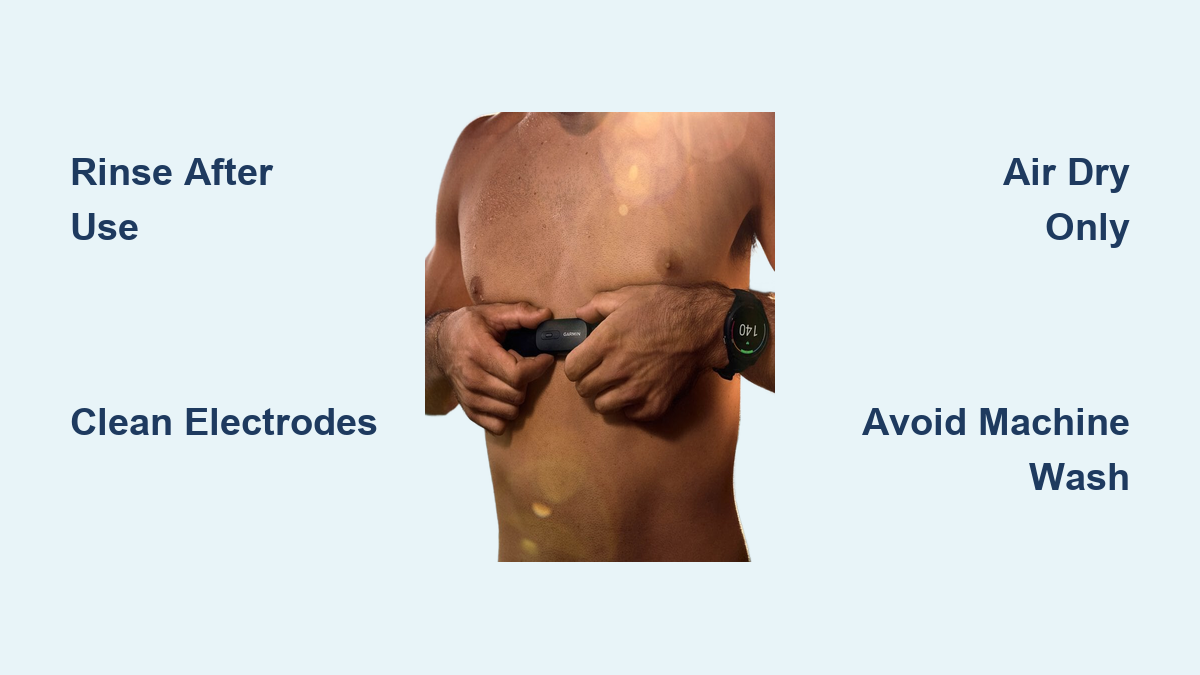
Sweat, salt, and body oils accumulate on your Garmin heart rate monitor strap with every workout. Over time, this residue forms an insulating layer on the electrode patches, leading to erratic BPM readings, signal dropouts, and skin irritation. Learning how to clean Garmin heart rate monitor straps the right way protects your data accuracy and extends the life of your device. This guide covers rinsing, deep cleaning, drying, and storage based on manufacturer guidelines and real user experience.
You will discover post-workout rinse routines, safe soap-and-brush deep cleaning methods, machine washing rules for detachable models, and critical mistakes to avoid. Follow these steps to keep your strap hygienic, conductive, and ready for every training session.
Post-Workout Rinse Routine
A quick rinse after every session prevents salt from crystallizing on the electrodes. This habit alone eliminates most performance issues before they start.
Rinse Immediately After Use
Remove the strap as soon as your workout ends and hold it under lukewarm water for 30 to 60 seconds. Focus on the inner side where the electrode patches sit. Fresh sweat and salt rinse away easily at this stage, but they harden quickly once dry.
Many athletes streamline this step by rinsing the strap during their post-workout shower. The warm water flushes out residue while you clean up, making consistency effortless.
Keep Soap Away From the Strap
Avoid letting shampoos, body washes, or bar soap soak into the fabric. These products leave films that clog the conductive threads and reduce elasticity. If soap contacts the strap accidentally, rinse thoroughly until no suds remain.
Towel and Air Dry Completely
After rinsing, follow these steps:
- Pat the strap gently with a clean towel to absorb excess moisture.
- Hang it in a well-ventilated area, uncoiled, so air reaches both sides.
- Wait until the strap feels completely dry before reattaching the transmitter or storing it.
Common drying spots include shower hooks, door handles, or bike handlebars. A fully dry strap prevents mold, mildew, and lingering odors.
Pro Tip: Heavy sweaters should not rely on air-drying alone. Even after rinsing, salt lingers in the fabric. Schedule a weekly deep clean to maintain conductivity.
Deep Clean With Mild Soap

Rinsing handles surface residue, but electrode patches need periodic deep cleaning to remove stubborn buildup. This process restores signal accuracy when readings become inconsistent.
Use Mild Soap and Lukewarm Water
Fill a sink with lukewarm water and add a small amount of mild hand soap. Avoid products containing bleach, alcohol, or fabric softener. Harsh chemicals break down the conductive threads woven into the strap.
Submerge the strap and agitate it gently with your fingers. Pay special attention to the inner surface where the silver electrode patches are located.
Scrub Electrodes With a Soft Brush
Grab a soft-bristled brush, such as an old toothbrush or fingernail brush. Scrub the electrode areas in small circular motions to dislodge dried salt and oil. The goal is to break up the insulating layer without damaging the fabric.
Users often describe this buildup as “nasty crud,” a sticky, cloudy film that dulls the metallic finish. Once removed, the silver surface should look shiny and clean.
Warning: Never soak the strap for more than 5 minutes. Extended immersion allows water to penetrate seams and degrade internal materials.
Rinse and Dry Thoroughly
After scrubbing:
- Rinse under running lukewarm water until all soap disappears.
- Pat dry with a towel.
- Hang to air dry completely before reattaching the transmitter.
Perform this deep clean every 4 to 6 weeks for average users. Heavy sweaters may need it every two weeks.
Machine Wash Only If Detachable
Machine washing is an option for some straps, but strict conditions apply. Skipping these rules can destroy the transmitter module.
Remove the Transmitter First
If your Garmin model features a detachable transmitter (such as the HRM-Pro or HRM-Dual), snap it off before washing. The electronics are water-resistant during workouts, not machine-wash proof.
For older models with integrated transmitters, machine washing is unsafe. Water can corrode internal circuits and cause permanent failure.
Use Gentle Cycle and Low Heat
If machine washing is appropriate for your model:
- Place the strap inside a mesh laundry bag.
- Select a gentle cycle with cold or lukewarm water (maximum 40°C / 104°F).
- Choose a mild detergent without bleach or fabric softener.
- Wash with similar gear like cycling kits to reduce agitation.
Limit machine washing to once every 7 uses. Frequent spinning stresses elastic fibers and shortens strap lifespan.
Expert Note: Hand washing extends strap life significantly. Reserve machine washing for convenience, not routine care.
Never Use a Dryer
One rule overrides all others: never put your heart rate monitor strap in a clothes dryer.
Heat Damages Elasticity and Sensors
Dryer heat and tumbling action cause multiple problems:
- Elastic fibers break down, leaving the strap loose.
- Electrode patches warp or degrade.
- Adhesive bonds holding electronic components weaken.
Even “air dry” or “no heat” dryer settings create friction and warmth that accelerate wear.
Air Dry Only Every Time
Always dry your strap by hanging it:
- Indoors, away from direct sunlight.
- In a spot with good airflow, such as near a fan or open window.
- Uncoiled, so moisture does not trap in folds.
A damp strap stored too soon develops mold or odors within hours. Allow 2 to 4 hours for complete drying.
Care for Electrode Patches
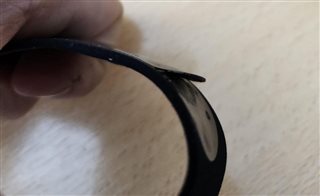
The electrode patches are the functional core of your heart rate monitor. These silver contact points detect electrical signals from your chest, and dirty patches disrupt readings immediately.
Why Buildup Ruins Accuracy
Sweat contains sodium and oils that dry into an insulating layer on the electrodes. This barrier blocks the sensor’s ability to read your heart’s electrical activity, resulting in:
- Erratic BPM readings
- Signal dropouts
- Delayed heart rate detection
Inspect and Clean Patches Regularly
During each deep clean:
- Visually inspect the electrode areas.
- Look for discoloration, cloudiness, or chalky residue.
- If the surface looks dull, scrub gently with a soft brush and soapy water.
Shiny silver indicates optimal conductivity. Dull or hazy patches signal it is time to clean.
Pro Tip: For stubborn buildup, dampen the brush slightly and scrub in small circles. Avoid abrasive pads or metal scrubbers that scratch the surface.
Model-Specific Cleaning Tips

Your Garmin model determines which cleaning methods are safe. Always confirm your hardware type before washing.
Older Models Require Hand Washing Only
Older Garmin HRMs (such as the HRM-Run or original HRM-Tri) have non-detachable transmitters sewn directly into the fabric. Water exposure risks permanent electronic damage.
- Cleaning method: Hand wash only.
- Never machine wash, even with the module attached.
- No soaking: keep wet time minimal.
- Dry immediately and thoroughly after rinsing.
A single machine wash can kill the transmitter on these models.
Newer Models Offer Detachable Convenience
Newer straps (HRM-Pro, HRM-Dual, HRM-Swim) feature snap-on transmitters that separate from the fabric band. This design allows safer cleaning options.
- Remove the module before any washing.
- Hand wash recommended for maximum longevity.
- Machine wash optional with gentle cycle, mesh bag, and mild detergent.
- Air dry only, without exception.
Even with detachable modules, repeated machine washing wears out fabric faster than hand cleaning.
Troubleshoot Cleaning Mistakes
Even careful users encounter issues. Here is how to identify and fix common cleaning-related problems.
Signal Drops After Cleaning
If your strap stops working after a wash:
- Check whether water entered the transmitter, especially on non-detachable models.
- Ensure electrodes are fully dry, since moisture disrupts signals.
- Re-clean if soap residue remains.
Allow the strap to air dry for 24 hours before testing again.
Strap Feels Loose or Stretched
Common causes include:
- Machine drying, which destroys elasticity.
- Frequent machine washing, which stretches fabric over time.
- Hot water, which weakens fibers.
Prevent stretching by always air drying and limiting machine cycles.
Smelly or Moldy Strap
Storing a damp strap causes mold growth in warm, moist fabric folds. To fix the problem:
- Hand wash with mild soap and water.
- Soak briefly in a water and white vinegar mix (1:3 ratio) to kill odor-causing bacteria.
- Rinse thoroughly and air dry completely.
Always confirm the strap is fully dry before storage.
Frequently Asked Questions About Garmin Heart Rate Monitor Cleaning
How often should I clean my Garmin heart rate monitor strap?
Rinse the strap after every workout with lukewarm water. Schedule a deep clean with mild soap and a soft brush every 4 to 6 weeks for average users. Heavy sweaters may need bi-weekly deep cleans to prevent salt buildup.
Can I machine wash my Garmin heart rate monitor strap?
Machine washing is safe only for models with detachable transmitters, and the module must be removed first. Use a gentle cycle, cold or lukewarm water (max 40°C / 104°F), and a mesh laundry bag. Limit machine washing to once every 7 uses. Never machine wash straps with integrated transmitters.
What soap is safe for cleaning a heart rate monitor strap?
Use mild hand soap without bleach, alcohol, or fabric softener. Harsh chemicals degrade the conductive threads woven into the fabric. Rinse thoroughly after washing to remove all soap residue.
Why does my heart rate monitor give erratic readings after workouts?
Salt and oil buildup on the electrode patches forms an insulating layer that blocks electrical signals. This residue causes erratic BPM readings, signal dropouts, and delayed detection. Deep cleaning the electrodes with a soft brush restores conductivity.
Can I put my Garmin heart rate monitor strap in the dryer?
No. Never place the strap in a clothes dryer under any setting. Heat and tumbling damage elastic fibers, warp electrode patches, and weaken adhesive bonds. Always air dry the strap by hanging it in a well-ventilated area.
How do I remove odor from a smelly heart rate monitor strap?
Hand wash the strap with mild soap and lukewarm water. For persistent odors, soak briefly in a 1:3 white vinegar to water solution, then rinse thoroughly and air dry completely. Always store the strap fully dry to prevent mold and mildew.
Key Takeaways for Cleaning Your Garmin Heart Rate Monitor
Maintaining your Garmin heart rate monitor strap comes down to three core habits. First, rinse with lukewarm water after every workout to prevent salt from crystallizing on the electrodes. Second, deep clean monthly using mild soap and a soft brush to remove stubborn buildup that disrupts signal accuracy. Third, air dry only and never expose the strap to dryer heat, which permanently damages elasticity and sensors.
Your next step is simple: rinse your strap after your next training session and inspect the electrode patches. If they look dull or hazy, schedule a deep clean this week. Consistent care takes only minutes per session and ensures reliable heart rate data for years to come.