How to Use MyZone Heart Rate Monitor
You’ve just strapped on your MyZone heart rate monitor, but the readings are jumping all over the place. Or maybe you’re staring at the app wondering what those color zones actually mean. The MyZone system tracks effort, not just fitness level, using a scoring system called MEPs (MyZone Effort Points) that levels the playing field between beginners and elite athletes. This means you earn credit for working hard relative to your own max, not for being the fittest person in the room.
Getting accurate data from your MyZone belt comes down to three things: proper wear, correct pairing, and understanding the feedback it gives you. Skip the moisture step or wear the strap too loose, and you’ll spend half your workout troubleshooting signal dropouts. In this guide, you’ll learn how to set up, connect, read, and maintain your MyZone monitor so every minute of effort counts toward your goals.
Proper Belt Placement and Fit

Position the Strap Correctly
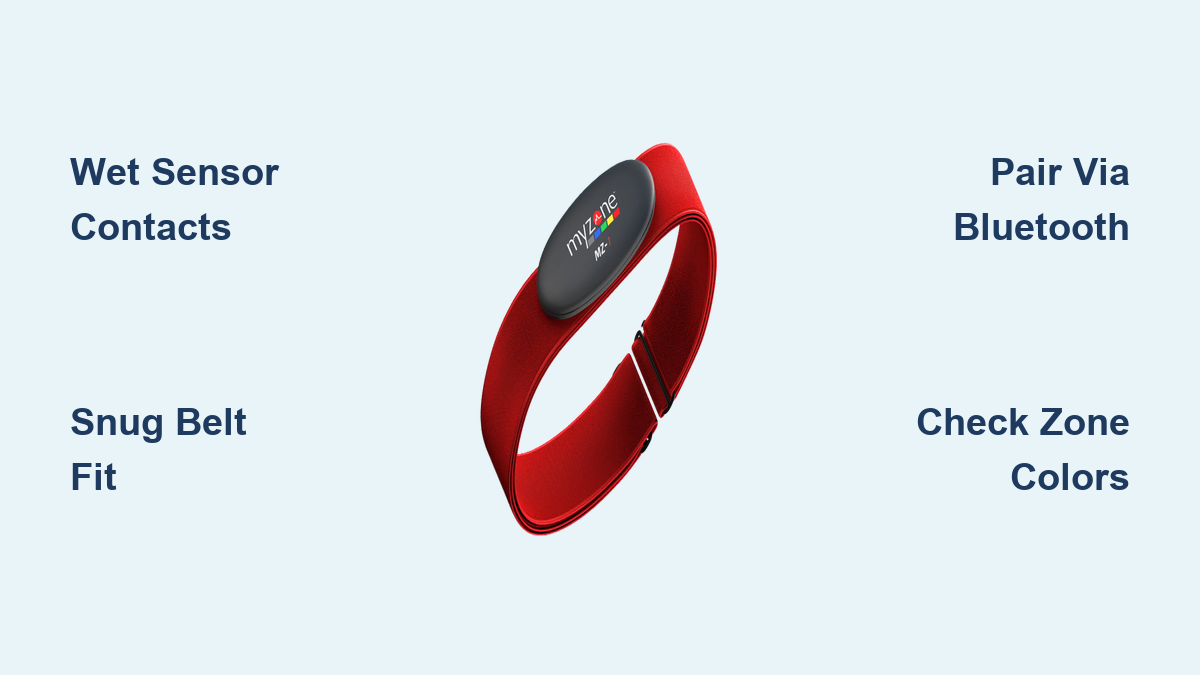
Place the MyZone belt snugly just below your chest muscles. For men, this means under the pectorals. For women, position it beneath the bust line. The sensor module should sit centered on your back. This placement ensures direct skin contact and aligns with the heart’s electrical signals for accurate ECG-based readings. Wearing the belt too high or too loose disrupts data transmission and causes dropouts during dynamic movements.
Ensure a Snug, Secure Fit
The belt must feel firm but not restrictive. If you can easily pull it away from your skin, it’s too loose. A loose fit is the leading cause of signal loss, especially during jumping or sprinting exercises. Tighten the strap so it stays in place without sliding or bouncing. After securing it, take a few deep breaths. If the belt shifts or pinches, readjust before starting your workout.
Activate the Sensor with Moisture
Dry skin or a dry sensor blocks conductivity. Before use, wet the inner side of the elastic band where the sensor contacts touch your skin. Use water or a small dab of electrode gel to jumpstart the electrical connection. Sweat alone is not enough at the start of a workout. If your heart rate doesn’t appear immediately, pause for 10 to 15 seconds to let the sensor establish contact. A quick warm-up like marching in place also raises skin temperature and improves signal acquisition.
Pairing with the MyZone App
Install and Set Up the App
Download the MyZone app from the Apple App Store or Google Play. Open the app and create an account using your email. During setup, input your age, gender, and resting heart rate if known. This information helps calibrate your personal heart rate zones. Once registered, navigate to the device pairing section to connect your belt.
Connect the Belt via Bluetooth
Make sure Bluetooth is enabled on your phone. Press the button on the MyZone module to wake it up. It will flash when active. In the app, tap “Add Device” and wait for your belt’s serial number to appear. Select it to pair. A solid green light on the module means a successful connection. If pairing fails, ensure no other devices are nearby using the same band, restart your phone’s Bluetooth, and try again.
Confirm Live Data Transmission
After pairing, start a live session in the app. You should see your real-time heart rate in BPM, your current zone color, and MEPs accumulating. If data lags or stops, check that the sensor is still moist and the app has background permissions enabled. For gym use, verify that your profile is linked to the facility’s kiosk system so your stats display on screen during class.
Reading and Using Heart Rate Zones
Recognize the Color-Coded Effort Levels
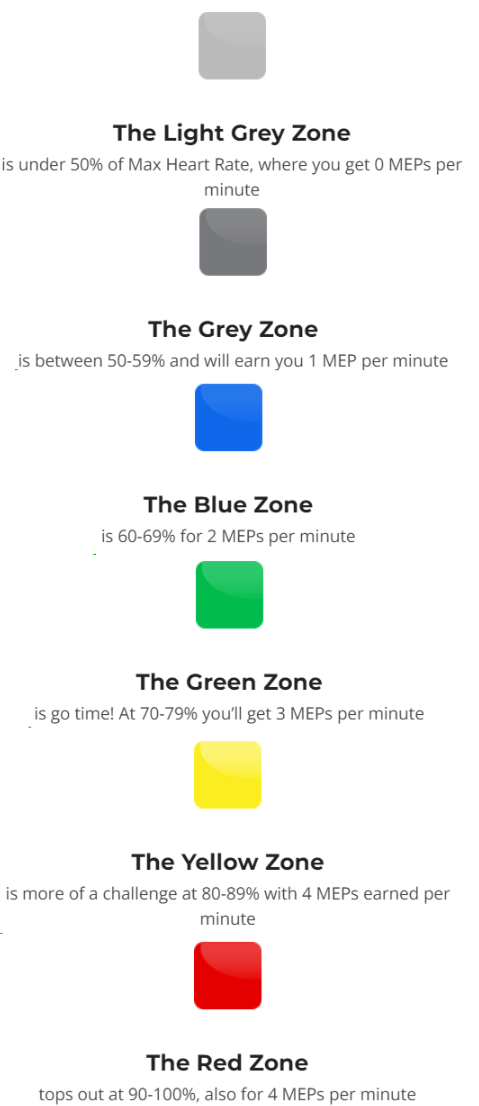
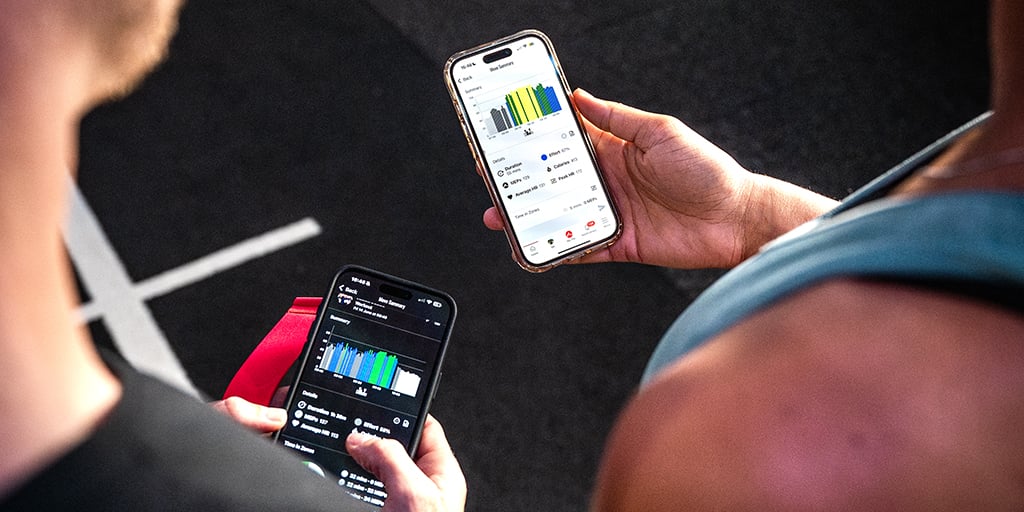
MyZone uses color zones to represent exercise intensity based on your maximum heart rate. These colors make it easy to see at a glance whether you’re warming up, building endurance, or pushing your limits.
- Blue Zone (Warm-up & Recovery): Low-intensity effort ideal for starting workouts, cooling down, or active recovery days
- Yellow Zone (Moderate Effort): Comfortable but noticeable exertion for building endurance and cardiovascular health
- Red Zone (High Intensity): Maximum or near-maximum effort for improving peak performance and anaerobic capacity
Adjust Intensity Based on Zone Feedback
During your workout, watch the zone indicator to stay on target. If your goal is fat burn, aim to spend time in Yellow. For cardiovascular conditioning, push into Red for short intervals. Avoid prolonged time in Red, which is best reserved for sprints or HIIT finishes. The app beeps when you enter a new zone, providing an audio cue so you don’t have to look at your phone mid-set.
Chase MEPs, Not Just BPM
MEPs (MyZone Effort Points) reward effort over time, not just peak heart rate. You earn more points the longer you stay in higher zones. Because MEPs measure effort relative to your individual maximum, a less fit person and an elite athlete can earn equal points for working equally hard. This system encourages consistency and makes the “chase MEPs” goal inclusive across all fitness levels.
Troubleshooting Connection Issues
Fix Pairing Failures
If the app won’t detect your belt, first check the module’s battery. A flashing red light indicates low power. Charge it using the micro-USB cable included with your device. Next, remove the module from your phone’s Bluetooth list and re-pair. Close the MyZone app completely, restart your phone, and try again. Interference from Wi-Fi or other wearables can block signals, so move away from dense electronic areas if possible.
Resolve Signal Dropouts During Workouts
Signal loss during exercise usually stems from a dry sensor or loose fit. Re-wet the strap mid-workout if needed. Also, avoid placing the module near metal objects that interfere with transmission. If dropouts persist, clean the metal contacts on both the strap and module with a dry cloth. Corrosion from sweat buildup can block connections over time.
Sync Data After Missed Sessions
If your workout didn’t upload automatically, open the app and go to “History.” Tap “Sync Device” to retrieve stored data from the module. The belt stores up to 12 hours of offline activity. Ensure the module is within range and powered on. Once synced, your MEPs and heart rate graph will appear in your timeline.
Maximizing Battery Life

Charge Only When Prompted
The MyZone module battery lasts 3 to 4 months with regular use. You’ll receive an email notification when it’s time to charge. Don’t charge it prematurely, as overcharging reduces long-term battery health. Use only the provided USB cable and avoid wireless chargers or third-party adapters.
Prevent Unnecessary Drain
Always detach the module from the belt after workouts. Leaving it attached can cause phantom power draw, especially if the contacts are damp. Store the module separately in a dry place. Never leave it in direct sunlight or hot environments like a car dashboard, as heat degrades lithium-ion cells quickly.
Recognize Low-Power Indicators
A slow or inconsistent flash pattern means the battery is low. If the module doesn’t power on, plug it in for at least 15 minutes. A full charge takes about 2 hours. After charging, press the button to confirm a solid green light. This means it’s ready to pair.
Cleaning and Long-Term Care
Wash the Belt Regularly
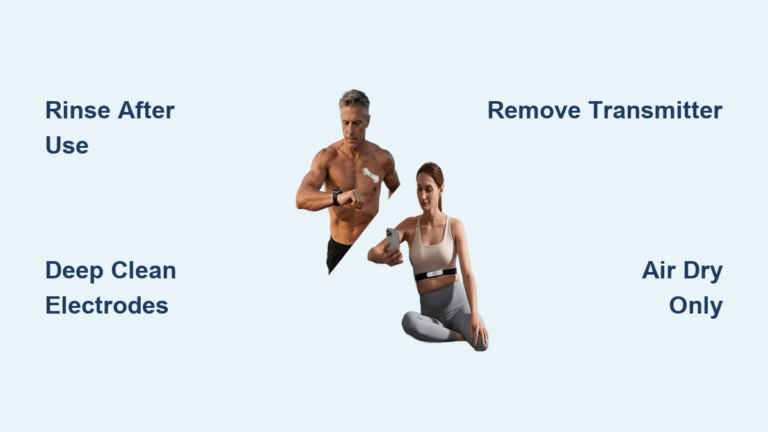
Sweat buildup damages fabric and causes odor. Hand-wash the elastic strap weekly with mild soap and warm water. Gently scrub the sensor area, then rinse thoroughly. Never machine-wash or tumble dry. Remove the module first, because the electronics are not waterproof.
Dry Completely Before Reassembly
After washing, hang the strap to air dry overnight. Do not reattach the module until the belt is fully dry. Moisture trapped between the fabric and module can corrode contacts or cause skin irritation. Lay it flat or hang it, and avoid wringing or folding the damp band.
Store Components Separately
When not in use, store the module in a cool, dry drawer. Keep it away from magnets, moisture, and extreme temperatures. The elastic belt should be stored loose, not stretched. Rolling it loosely prevents permanent deformation and maintains elasticity over time.
Using MyZone in Group Fitness
Link to Gym Kiosks and Leaderboards
Many gyms use MyZone-enabled screens that display real-time effort leaderboards. To appear on the board, ensure your profile is set to “public” in the app settings. Arrive early to pair your belt with the kiosk. Tap your module on the reader or select your name from the list. Your zone color and MEPs will update live during class.
Compete Fairly Using Effort-Based Scoring
Because MEPs are effort-based, a beginner can rank high by working at 95% of their max, even if their heart rate is lower than an elite athlete’s. This makes group workouts inclusive and motivating. Focus on your own zone progression rather than comparing BPMs with others.
Optimize for Class Settings
In crowded studios, Bluetooth interference can occur. To maintain connection:
- Arrive early to sync
- Keep your phone nearby (within 10 feet)
- Avoid placing it in a locker or bag
- Use the kiosk as your primary display to reduce phone dependency
Maintaining Accuracy Over Time
Recalibrate Heart Rate Zones Periodically
Your max heart rate can change with fitness gains. Recalibrate every 3 to 6 months by performing a max effort test. Warm up for 10 minutes, then do three progressively harder sprints with full recovery. The highest BPM recorded becomes your new max. Update this in the app under “Settings > Heart Rate.”
Verify Sensor Contact Before Every Use
Before each workout, inspect the inner side of the strap. Ensure the sensor pads are clean and free of residue. Wipe them with a damp cloth if needed. Reapply moisture every time. You can’t assume sweat will suffice, especially in air-conditioned gyms or during low-sweat activities like yoga.
Replace the Belt When Worn Out
Elastic degrades over time. If the strap no longer holds tension or leaves deep marks on your skin, it’s overstretched and ineffective. A worn belt won’t maintain consistent contact, leading to erratic data. Replace the strap every 1 to 2 years depending on usage. The module usually lasts longer if cared for properly.
Frequently Asked Questions About MyZone Heart Rate Monitors
Why isn’t my MyZone belt picking up my heart rate right away?
Dry skin or a dry sensor is the most common cause. Wet the sensor contacts on the elastic band with water or electrode gel before putting it on. If readings still don’t appear, do a quick warm-up like marching in place to raise skin temperature and help the sensor establish a stable connection.
How long does the MyZone battery last per charge?
A fully charged MyZone module typically lasts 3 to 4 months with regular use. The system sends an email notification when the battery needs charging. You should not replace the battery yourself, as the unit contains a long-life rechargeable cell designed to last the device’s lifespan.
Can I wash my MyZone belt in the washing machine?
No. Hand-wash the elastic strap only with mild soap and warm water. Always remove the electronic module before washing, because the module is not waterproof and submerging it can cause permanent damage. Air dry the strap completely before reattaching the module.
What does MEPs mean and how do I earn them?
MEPs (MyZone Effort Points) measure your effort relative to your maximum heart rate, not your absolute fitness level. You earn MEPs by spending time in higher heart rate zones. This system rewards consistent effort and allows users of different fitness levels to earn equal credit for equal work.
Do I need a subscription to use MyZone?
In certain commercial or gym environments, full access to MyZone features may require a subscription tier. The “Pulse” add-on is often cited as a required component for complete functionality. Check with your gym or the MyZone app for current subscription requirements.
Is the MyZone chest strap more accurate than a wrist-based heart rate monitor?
Yes. The MyZone uses chest-strap ECG technology, which generally provides higher accuracy during high-intensity interval training compared to optical wrist sensors. Wrist sensors can lag during rapid heart rate fluctuations, while chest straps capture electrical signals directly for more reliable real-time data.
Key Takeaways for Getting the Most From Your MyZone Monitor
The MyZone heart rate monitor transforms abstract effort into measurable progress through its color-coded zones and MEPs scoring system. Proper placement, moisture activation, and snug fit form the foundation of accurate readings. Pairing via Bluetooth and understanding your zones allow you to adjust intensity in real time, whether your goal is fat burn, endurance, or peak performance.
Regular maintenance, including hand-washing the strap, separating the module for storage, and charging only when prompted, extends the life of your device. For gym users, linking to kiosks and leaderboards adds a social motivation layer that makes effort-based scoring inclusive for all fitness levels.
Start by wetting your sensor and pairing your belt before your next workout. Spend one session simply observing which zones you naturally fall into. This baseline awareness will help you train smarter, recover better, and consistently chase those MEPs toward your weekly goals.