How to Connect Heart Rate Monitor to NordicTrack
You’ve just strapped on your chest monitor, started your NordicTrack treadmill, and noticed your heart rate isn’t showing on the console. You’re not alone. Many users searching for how to connect heart rate monitor to NordicTrack machines hit the same wall. The Bluetooth pairing option seems missing, and nothing you try gets the device to sync.
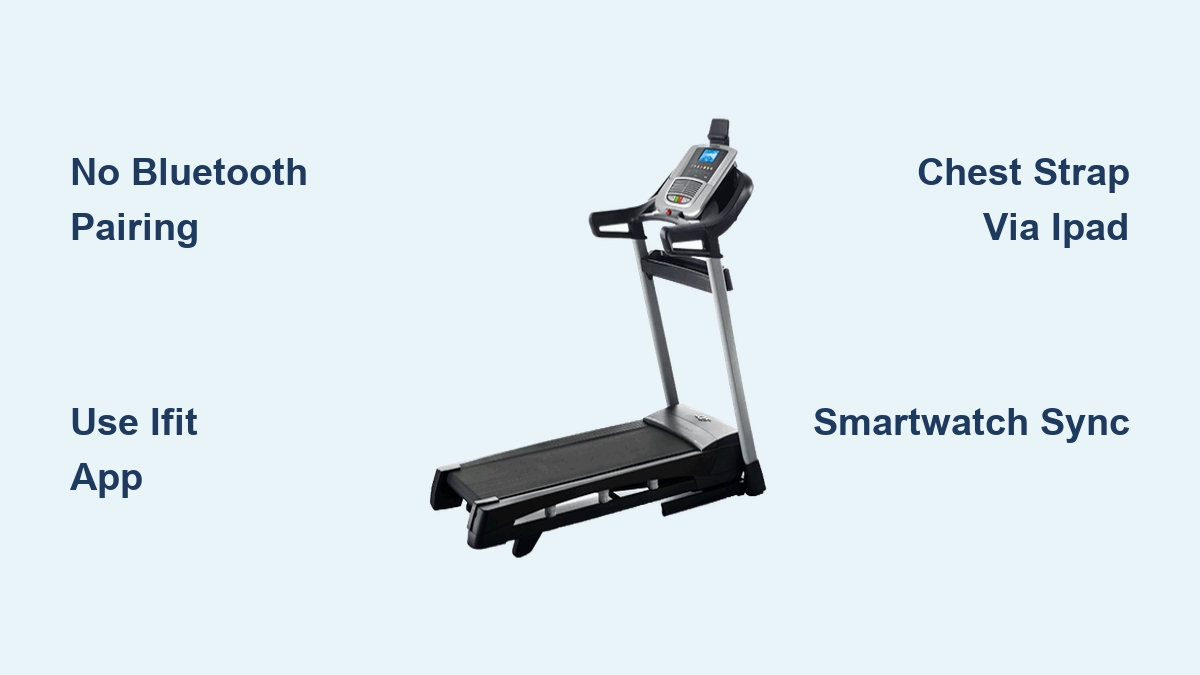
The frustrating truth is that the NordicTrack C990 does not support direct Bluetooth pairing with heart rate monitors through the console. There’s no visible Bluetooth menu, no pairing screen, and no way to manually start a connection. This is not a glitch. It is a built-in limitation of the model.
In this guide, you’ll learn exactly why the pairing fails, what does work for heart rate tracking on the C990, and how to get reliable heart rate data using alternative methods. Whether you prefer a chest strap, smartwatch, or the treadmill’s built-in sensors, you’ll find a setup that works.
C990 Bluetooth Heart Rate Limitation
No Console Pairing Option Available
Unlike newer NordicTrack models, the C990 lacks a Bluetooth pairing interface in its settings. Even though it runs on an Android-based system with iFit integration, that connectivity does not extend to external heart rate devices.
- No Bluetooth menu in system settings
- No physical Bluetooth button on the console
- No prompt to “Connect Heart Rate Monitor” during workouts
This means you cannot pair a Bluetooth heart rate strap directly to the treadmill, regardless of brand.
Why “BTsmart Compatible” Is Misleading
The product documentation lists BTsmart compatibility, which suggests wireless device support. However, this refers only to iFit’s ability to sync workout data, not real-time heart rate pairing. The hardware and firmware on the C990 simply don’t support BLE (Bluetooth Low Energy) heart rate profiles used by most chest straps.
Even with Wi-Fi and iFit active, the console won’t search for or recognize nearby heart rate monitors. This has been confirmed through user testing and technical reviews.
How Heart Rate Tracking Actually Works on C990
Built-in Handrail Sensors
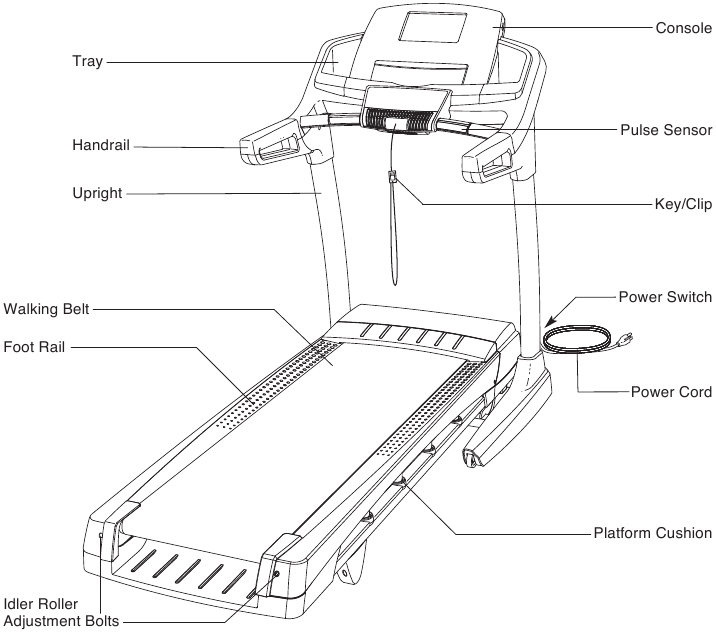
The most accessible method for heart rate monitoring on the C990 is using the hand pulse sensors built into the treadmill’s console grips.
How to use them:
1. Start your workout.
2. Place both hands firmly on the metal sensors.
3. Wait 10–15 seconds for the heart rate to display.
Limitations:
– Accuracy drops if hands are sweaty or moving
– Requires stopping your natural arm swing
– Only provides spot-check readings, not continuous data
These sensors are best for occasional checks, not real-time training zones.
iFit App Sync with External Devices
While the treadmill console can’t pair with a heart rate strap, your iFit app on iPad or phone can.
If you’re using an iPad mounted on the treadmill:
1. Open the iFit app and log in.
2. Start a workout from the app (not the console).
3. Put your heart rate monitor in pairing mode.
4. Tap “Connect Heart Rate Monitor” in the iFit app settings.
5. Select your device when it appears.
Once paired, your real-time heart rate will display in the app and sync to your workout history.
Works with:
– Polar H10, H9
– Wahoo TICKR
– Garmin HRM-Pro
– Any ANT+/Bluetooth chest strap supported by iFit
This is the only way to get accurate, continuous heart rate data on the C990 through the iFit app, not the console.
Why Your Heart Rate Strap Won’t Connect
No Active Bluetooth Search
The C990 does not broadcast a Bluetooth signal to discover heart rate monitors. Even if your strap is blinking and in pairing mode, the treadmill ignores it.
Common misconceptions:
– “Holding buttons will trigger pairing” → No hidden pairing mode exists
– “Restarting the treadmill fixes it” → Won’t enable unsupported features
– “A firmware update will add support” → NordicTrack has not released updates to enable this
This is a hardware-level limitation, not a software bug.
Strap Works on Other Devices? That’s Normal
If your heart rate monitor connects perfectly to an iPad, phone, or Zwift, that confirms the strap is functional but also highlights that the C990 is the bottleneck.
Bluetooth pairing requires both devices to support the same protocol. The C990 supports Bluetooth for audio and iFit data sync, but not for HRM profiles like BLE HR.
Workarounds for Real-Time Heart Rate
Use a Smartwatch or Fitness Tracker
Pairing a smartwatch like Fitbit, Garmin, or Apple Watch with the iFit app is a reliable alternative.
Steps:
1. Wear your smartwatch.
2. Ensure it’s synced to your iFit account.
3. Start a workout in the iFit app (on iPad).
4. iFit will pull heart rate data directly from the watch.
No chest strap needed. You’ll see live heart rate on screen and in post-workout stats.
Pair Chest Strap to iPad via iFit
If you prefer chest strap accuracy:
1. Turn on your heart rate monitor.
2. On your iPad, go to Settings > Bluetooth and confirm it’s enabled.
3. Open the iFit app and tap your profile > Devices.
4. Tap “Add Heart Rate Monitor” and follow prompts.
5. Once connected, start your workout. Data will stream in real time.
Pro Tip: Place the iPad within 1–2 feet of the chest strap for best signal strength.
What Doesn’t Work (And Why)

Pressing Console Buttons Repeatedly
Some forums suggest holding the “Speed” or “Incline” buttons to trigger hidden Bluetooth mode. This does not work on the C990. There are no undocumented pairing sequences.
Using Third-Party Apps on Console
The C990 console runs a locked-down version of Android. You cannot install third-party apps like Polar Beat or Wahoo Fitness to force a connection.
Expecting Automatic Detection
Unlike Peloton or Technogym treadmills, the C990 does not auto-detect nearby heart rate devices. It doesn’t even attempt to scan for them.
Recommended Setup for Heart Rate Monitoring
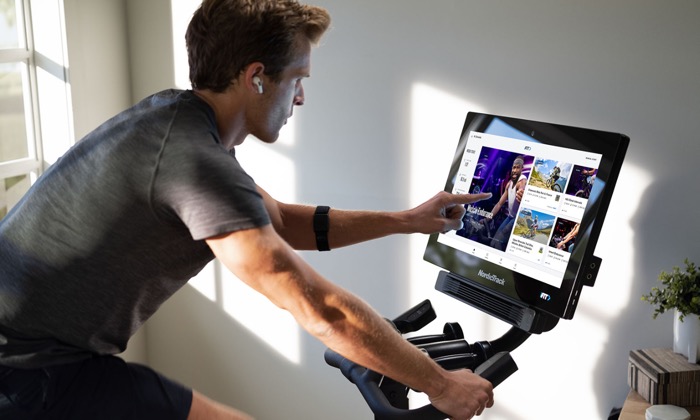
Best Option: iPad + iFit + Chest Strap
| Component | Role |
|---|---|
| iPad mounted on console | Runs iFit app with full Bluetooth access |
| Heart rate monitor (e.g., Polar H10) | Provides accurate chest-based data |
| iFit app | Pairs with strap and displays live HR |
This setup gives you:
– Real-time heart rate zones
– Post-workout analytics
– Sync with Apple Health, Google Fit, Strava
Backup Option: Smartwatch + iFit
If you don’t want to wear a chest strap:
– Use a Garmin, Fitbit, or Apple Watch
– Sync it to iFit
– Start workout in the app
– Heart rate auto-populates
No extra devices needed beyond your watch.
When to Consider Upgrading
If seamless, console-level heart rate monitoring is important to you, the C990 may not meet your needs.
Models That Support Direct HRM Pairing:
- NordicTrack X22i – Full Bluetooth HR support via console
- C2000, C3000 – Advanced connectivity with BLE heart rate pairing
- S22i Studio Cycle – Auto-detects chest straps and displays HR
These models have dedicated Bluetooth menus and firmware that actively searches for heart rate monitors.
Upgrading makes sense if you:
– Train in heart rate zones regularly
– Want hands-free monitoring
– Prefer not to use a tablet during workouts
Final Tips for Success
Do:
– Test your heart rate strap on another device first
– Use the iFit app on iPad for full functionality
– Keep the iPad close to your chest during workouts
– Clean chest strap electrodes regularly for best signal
Don’t:
– Waste time trying to force pairing on the console
– Assume a firmware update will fix it (none available)
– Buy a new strap thinking it’ll solve the issue
Frequently Asked Questions About Connecting a Heart Rate Monitor to NordicTrack
Can you connect a heart rate monitor directly to the NordicTrack C990 console?
No. The NordicTrack C990 does not support direct Bluetooth pairing with heart rate monitors through its console. There is no Bluetooth menu or pairing button available, making console-level connection impossible.
Why does the C990 say it’s BTsmart compatible if it can’t pair with heart rate monitors?
The BTsmart label refers to iFit’s ability to sync workout data, not real-time heart rate pairing. The C990 lacks the hardware and firmware to support BLE heart rate profiles used by chest straps.
How can I get heart rate data on my C990 without a chest strap?
You can use the built-in handrail sensors for spot-check readings or sync a smartwatch like Fitbit, Garmin, or Apple Watch to the iFit app for continuous monitoring.
Will a firmware update fix the Bluetooth heart rate pairing issue?
No. NordicTrack has not released any firmware updates to enable Bluetooth heart rate pairing on the C990. This is a hardware-level limitation of the model.
Which NordicTrack treadmills support direct heart rate monitor pairing?
Newer models like the NordicTrack X22i, C2000, C3000, and S22i Studio Cycle support direct Bluetooth heart rate pairing through their consoles with dedicated pairing menus.
Key Takeaways for Connecting Your Heart Rate Monitor to NordicTrack
No, you cannot directly connect a heart rate monitor to the NordicTrack C990 console. Despite the BTsmart labeling, the model lacks Bluetooth heart rate pairing capability at the hardware level.
But you’re not out of options. By using the iFit app on an iPad or smartphone, you can pair your heart rate monitor successfully and view real-time data during workouts. Alternatively, a smartwatch synced to iFit delivers the same results without a chest strap.
For the best experience, ditch the console-only approach and use a tablet with the iFit app to pair your strap or watch there. You’ll get accurate, continuous heart rate tracking without the frustration.
If you found this guide helpful, share it with others searching for how to connect heart rate monitor to NordicTrack. It might save them hours of frustration.