How to Use Sole Heart Rate Monitor
You just unboxed your Sole heart rate monitor, but the included instructions leave you guessing. You are not alone. Many users struggle with setup because the manual skips critical steps like moistening electrodes and choosing between connection modes. Without proper setup, you might see no signal at all or wildly inaccurate readings.
This guide walks you through every step of using your Sole heart rate monitor, from placement and activation to Bluetooth pairing, ANT+ connection, and fixing common issues. By the end, you will know exactly how to get reliable, medical-grade heart rate data on your Sole treadmill, elliptical, bike, or favorite fitness app.
Proper Placement and Activation

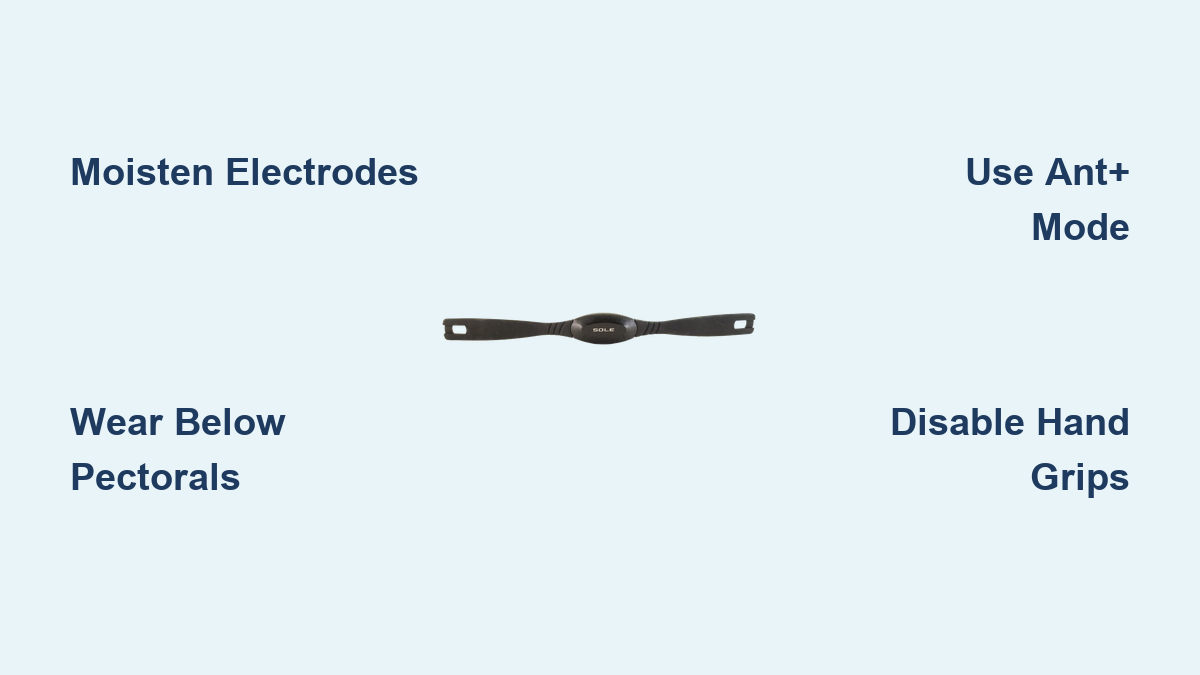
Wear the Strap Below Your Pectorals
Position the elastic chest strap snugly around your torso, placing the sensor unit just below your pectoral muscles and centered on your sternum. The electrodes must touch bare skin directly. Never wear the strap over clothing, as fabric blocks the electrical signal.
Adjust the strap so it stays in place during movement without restricting your breathing. The transmitter should click securely into the strap and face forward.
Moisten the Electrodes Before Use
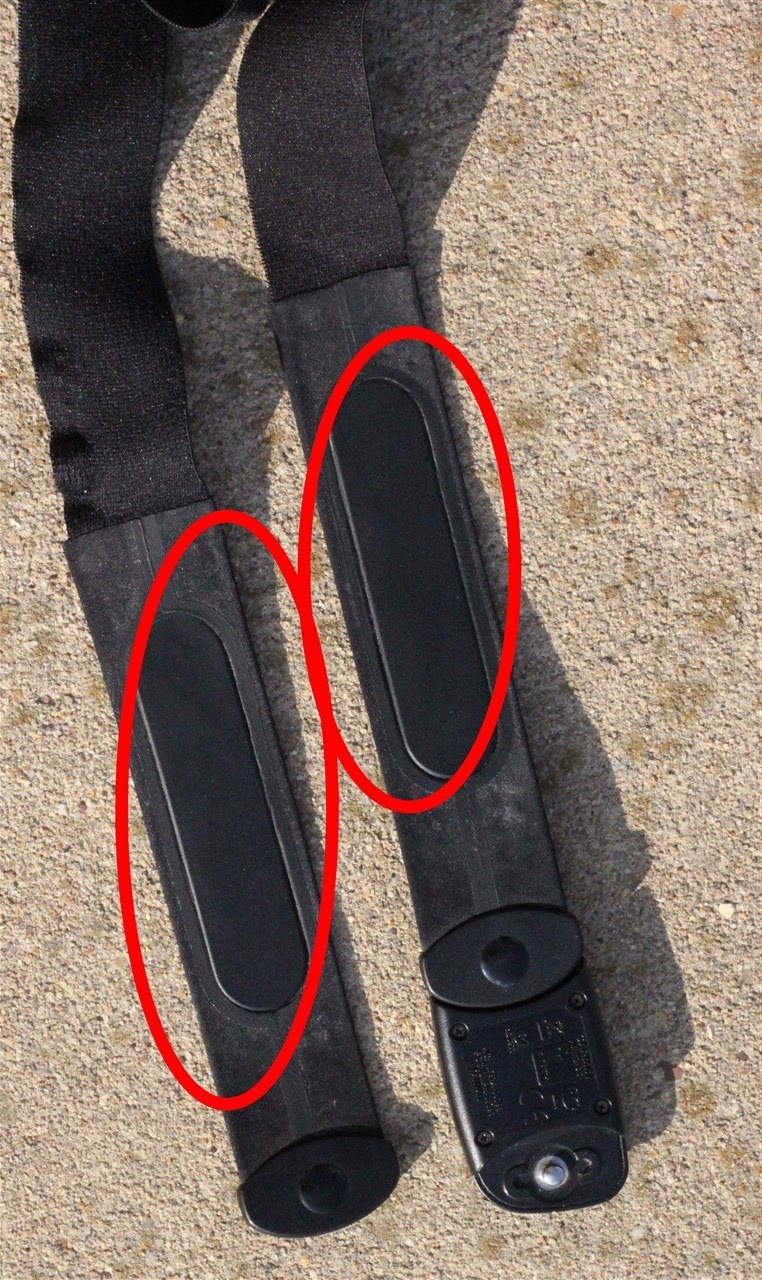
The EKG sensor requires skin conductivity to detect your heartbeat. If the electrodes are dry, the device will not transmit any data. This is the number one reason for failed connections.
Follow these steps to activate the sensor:
- Lightly wet the back of the strap where the electrodes contact your skin
- Use water or saliva for quick activation
- Sweat during exercise will eventually activate it, but pre-moistening ensures immediate response
- Avoid lotions, oils, or dirty skin, which reduce conductivity
Once moistened and worn correctly, the device powers on automatically and begins broadcasting your heart rate.
Connect via ANT+ Without Pairing

Use Antenna Mode on Older Machines
If you own a Sole treadmill, elliptical, or bike manufactured before 2022, or equipment like the Schwinn IC3, your machine likely uses 5.3 kHz ANT+ radio signals rather than Bluetooth. The good news is that no pairing is required.
Follow these steps for ANT+ connection:
- Turn on your exercise machine
- Put on the moistened strap
- Wait up to 60 seconds for the console to detect your heart rate
The machine will automatically recognize the signal if compatible. Look for a heart icon or live BPM reading on the display to confirm a successful connection.
Confirm Your Machine Supports ANT+
ANT+ works with most Sole models from 2005 onward, including treadmills like the F63 (2022+), F80, and TT8, ellipticals like the E25, E95S, and E98, and bikes like the LCB and recumbent models. Even a 2009 Sole F80 works, proving long-term backward compatibility.
If you use a Schwinn IC3, remember that it only reads ANT+ signals. Do not attempt to pair via Bluetooth. Simply wear the strap and let the bike auto-detect the signal.
Pair via Bluetooth 5.0
Connect to Smartphones and Apps
For smartphones, tablets, or newer Sole consoles from 2022 onward, use Bluetooth Low Energy (BLE 5.0) to stream data to fitness apps. This method is essential for connecting to Zwift, Peloton, Strava, Wahoo, the Sole Fitness App, and compatible smartwatches like Garmin and certain Android watches.
Follow these steps to pair via Bluetooth:
- Open Bluetooth settings on your phone or console
- Wear and moisten the strap
- Enable Bluetooth and scan for nearby devices
- Select “Sole HRM” or a similar name when it appears
- Wait for confirmation; heart rate should display within seconds
Once paired, your app will show continuous heart rate data throughout your workout.
Use Dual Signal Transmission Simultaneously
The Sole HRM broadcasts ANT+ and Bluetooth at the same time. This means you can connect to your Sole treadmill via ANT+ while streaming to your phone app via Bluetooth. This dual-signal capability is perfect for tracking real-time performance while using console-based programs.
Activate HR1 and HR2 Console Programs

Fix Programs That Will Not Start
On Sole ellipticals like the E98, users often report that heart rate-controlled programs like HR1 and HR2 will not launch, even when the strap appears connected. The issue usually stems from Bluetooth interference or the console failing to recognize the heart rate source.
Follow these steps to force antenna mode:
- Turn off Bluetooth on the console
- Wear the moistened strap
- Wait for the heart rate to appear via ANT+ auto-detection
- Once BPM shows on screen, select HR1 or HR2 to activate the program
This bypasses unreliable Bluetooth pairing and uses the proven 5.3 kHz signal instead. Always confirm your heart rate is visible on the main display before starting any HR-based program.
Troubleshoot Common Connection Problems
Resolve No Signal or Inaccurate Readings
Most issues stem from dry electrodes, incorrect mode selection, or interference from hand-grip sensors. Use the following solutions to fix the most frequent problems:
- No signal on display: Moisten the electrodes, press the strap against your chest for 10 seconds, and wait up to 60 seconds for older consoles to sync.
- High or inaccurate reading: Release the hand grips on your treadmill. They often read 30+ bpm higher than your actual heart rate and can confuse the console.
- Console ignores heart rate: Disable Bluetooth on the console and rely on ANT+ mode instead.
- Signal drops during workout: Check moisture levels on the strap. If Bluetooth is congested, switch to ANT+ for a more stable connection.
Quick Reference Troubleshooting Table
| Symptom | Solution |
|---|---|
| No signal on display | Moisten electrodes and wait 60 seconds |
| High or inaccurate reading | Release hand grips to eliminate interference |
| Console ignores heart rate | Disable Bluetooth and use ANT+ mode |
| Signal drops during workout | Re-moisten strap or switch to ANT+ |
Maintain Your Monitor for Long-Term Use
Clean After Every Workout
Sweat and salt degrade the elastic strap and electrodes over time. Wipe the strap and sensor with a damp cloth after each use, then air dry completely before storing. Do not machine wash or submerge the device for extended periods.
Replace the CR2032 Battery Annually
The CR2032 coin cell battery lasts approximately 12 months with daily one-hour use. Signs of a low battery include delayed signals, intermittent readings, and failure to connect.
Follow these steps to replace the battery:
- Pop open the battery cover on the transmitter
- Insert a new CR2032 battery with the positive side facing up
- Reassemble the unit and test the connection
Understand Safety and Compatibility Limits
Consult a Doctor If You Have a Pacemaker
The device emits ANT+ and Bluetooth radio signals. While these are low power, users with pacemakers should consult a cardiologist before use to rule out any electromagnetic interference risks.
Check for Latex Allergy
The strap contains natural rubber latex with a 90% probability. If you have a severe latex allergy, avoid skin contact or choose a latex-free alternative chest strap.
Verify App and Watch Support
The monitor works with confirmed platforms including Garmin watches, Wahoo, Zwift, Strava, the Sole Fitness App, and Android-based watches. Apple Watch compatibility remains unconfirmed, though BLE 5.0 suggests potential support depending on your specific model.
The monitor does not work with the Octane 37 CE (2007) due to incompatible protocols, nor with any device that lacks 5.3 kHz ANT+ or BLE 5.0 heart rate profile support.
Maximize Accuracy During Workouts
Stop Using Hand Grips Mid-Workout
Holding the treadmill hand sensors while wearing the chest strap can confuse the console. The system may toggle between inputs, and hand grips often read 30+ bpm higher than your actual heart rate. Release the handles and let your chest strap provide continuous, accurate data without interference.
Verify Readings Against Known Devices
Compare your Sole HRM to another trusted monitor such as a Garmin or Polar device. Readings should match within ±1 bpm. If you notice consistent discrepancies, re-moisten the strap, clean the electrode surfaces, or replace the battery.
Special Use Cases and Practical Tips
Use With the Schwinn IC3 Bike
The Schwinn IC3 has no Bluetooth heart rate support, so ignore any phone pairing attempts. Instead, wear the moistened Sole strap and start pedaling. The bike will read the 5.3 kHz ANT+ signal directly without any app or manual pairing.
Replace Missing Sensors on New Sole Machines
Many 2022–2025 Sole models like the F63 and TT8 ship without the transmitter, even though the manuals reference one. Purchase the SOL0573 model separately and pair it via Bluetooth through the console’s settings menu. Modern consoles prioritize Bluetooth, making this the preferred connection method for newer equipment.
Track Medical-Grade Data With Caution
With ±1 bpm accuracy, this monitor delivers clinical-level precision useful for tracking resting heart rate, recovery, and training zones. However, it is not a certified medical device. Consult your doctor before using it to monitor any cardiac condition, and seek cardiologist approval if you have a pacemaker.
Frequently Asked Questions About the Sole Heart Rate Monitor
Why is my Sole heart rate monitor not picking up a signal?
The most common cause is dry electrodes. Lightly moisten the back of the strap where the electrodes touch your skin, then wait up to 60 seconds for the console to detect the signal. Ensure the strap sits snugly below your pectorals and makes direct skin contact.
Can I use the Sole heart rate monitor with apps like Zwift or Peloton?
Yes. The monitor uses Bluetooth Low Energy 5.0 to pair with smartphones and tablets. Open your app’s device settings, scan for “Sole HRM,” and select it to begin streaming heart rate data during your workout.
Does the Sole heart rate monitor work with older Sole treadmills?
Yes. The monitor is compatible with Sole machines manufactured after 2005 via the 5.3 kHz ANT+ signal. No pairing is required. Simply wear the moistened strap and wait for the console to auto-detect your heart rate.
How long does the battery last in the Sole heart rate monitor?
The CR2032 coin cell battery lasts approximately 12 months with one hour of daily use. Replace it when you notice delayed signals, intermittent readings, or connection failures.
Is the Sole heart rate monitor safe for pacemaker users?
The device emits radio signals via ANT+ and Bluetooth. Users with pacemakers should consult their cardiologist before use to rule out any electromagnetic interference risks.
Can I wear the Sole heart rate monitor over a shirt?
No. The EKG sensor requires direct skin contact to detect electrical signals. Wearing the strap over clothing will block the signal and result in no heart rate reading.
Key Takeaways for Getting the Most From Your Sole Heart Rate Monitor
The Sole heart rate monitor delivers reliable, medical-grade accuracy across Sole machines, third-party equipment, and fitness apps when set up correctly. Remember to moisten the electrodes before every use, position the strap below your pectorals, and choose the right connection mode: ANT+ for older machines and Bluetooth for apps and newer consoles.
Keep the strap clean, replace the CR2032 battery annually, and release the hand grips during workouts to avoid signal interference. With proper setup, this small device will transform your training with accurate, continuous heart rate data that outperforms built-in sensors at a fraction of the cost of OEM alternatives.