How to Use Scosche Heart Rate Monitor
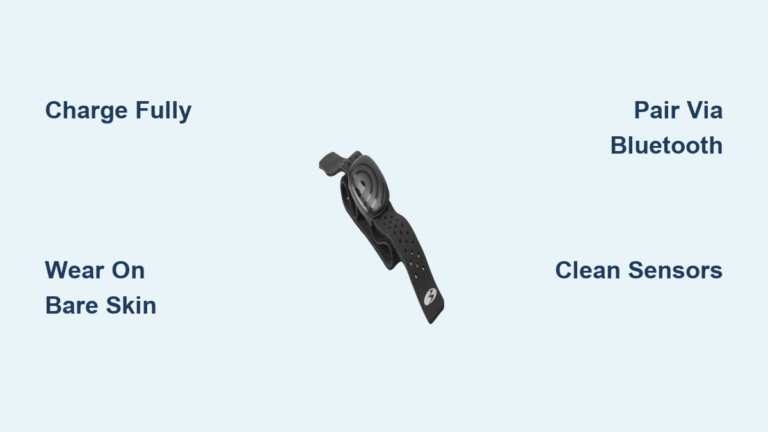
You just unboxed your Scosche Rhythm+ 2.0 and want accurate heart rate data from your very first workout. The good news is that learning how to use Scosche heart rate monitor devices is straightforward when you follow the right steps. This armband-style optical sensor delivers chest-strap-level precision without the chest strap discomfort, making it ideal for runners, cyclists, swimmers, and gym enthusiasts.
Below you’ll find everything you need to charge, pair, wear, and maintain your monitor for reliable performance across every training session.
Charge and Power On Your Scosche Monitor
A full charge before first use ensures uninterrupted tracking during your workouts.
Initial Charging Steps
The Rhythm+ 2.0 ships with a USB charger and a rechargeable battery that lasts up to 24 hours per charge. Follow these steps:
- Plug the included USB charger into any powered USB port.
- Align the metal charging contacts on the back of the sensor with the pins on the charger.
- Wait until the LED turns solid blue, which typically takes 1–2 hours.
Pro Tip: Wipe the charging contacts monthly with a cotton swab dipped in rubbing alcohol to prevent sweat-related corrosion.
Power On and Off
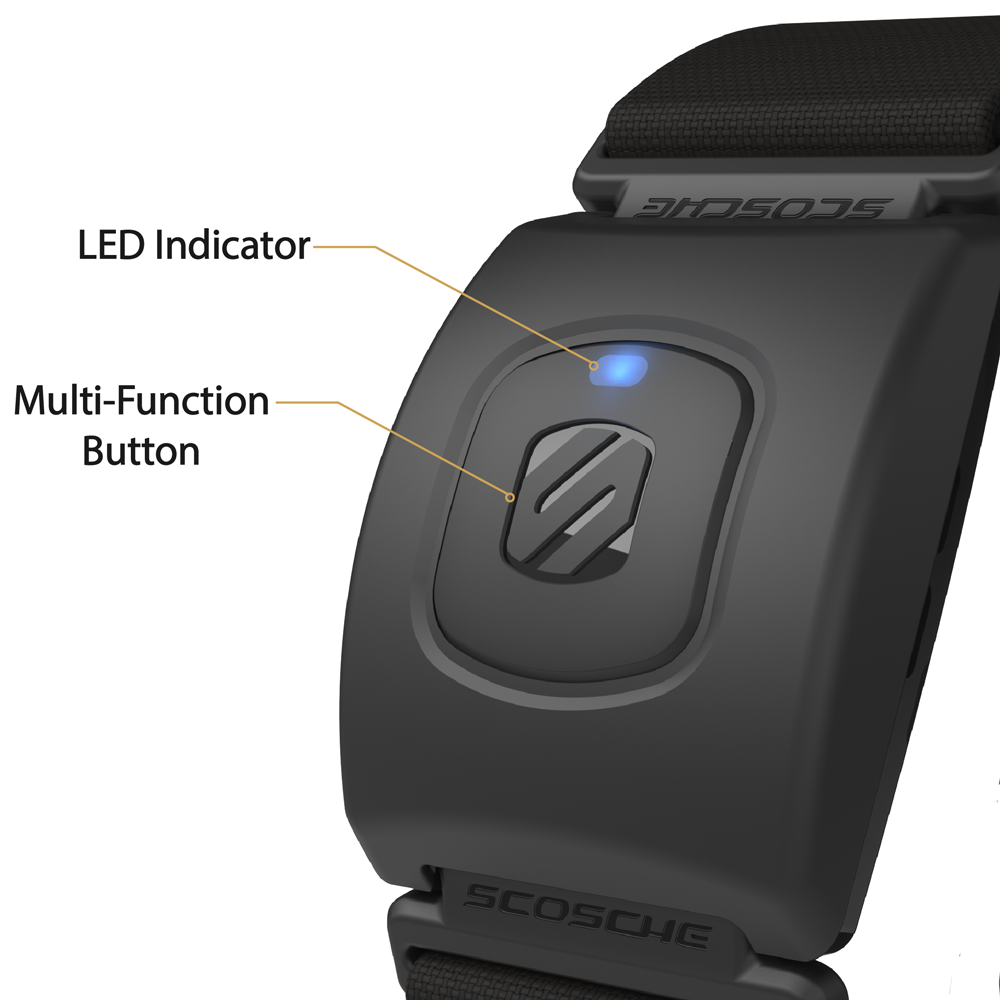
Press and hold the Multi-Function Button (MFB) for 2 seconds to power on. The LED will flash red and blue, signaling pairing mode. To power off, hold the same button for 3 seconds until the light goes dark.
Pair With Fitness Apps and Devices
Your Scosche monitor broadcasts over both Bluetooth and ANT+ simultaneously, giving you access to over 200 compatible apps and devices.
Connect to Smartphone Apps via Bluetooth
Most users pair with apps like Strava, Zwift, Peloton, or Apple Fitness+. Here’s the process:
- Enable Bluetooth in your phone’s settings.
- Open your preferred fitness app.
- Navigate to Settings > Add Sensor > Heart Rate.
- Power on the Rhythm+ 2.0.
- Select “Rhythm+” from the discovered devices list.
- Confirm pairing when you see three quick blue blinks.
The free Rhythm Sync app (available on iOS and Android) lets you update firmware and verify device status.
Sync With ANT+ Watches and Gym Equipment
For Garmin watches, Wahoo bike computers, or cardio machines:
- Open the Sensors menu on your receiving device.
- Select Add HR Monitor or Search for Sensors.
- Power on the Scosche monitor.
- Wait for “Rhythm+” to appear in the device list.
- Confirm the connection when the LED turns solid blue.
Dual Broadcast Advantage: Because the monitor sends data over both Bluetooth and ANT+ at the same time, you can track on your watch and phone simultaneously during outdoor rides or runs.
Wear the Monitor Correctly for Best Results
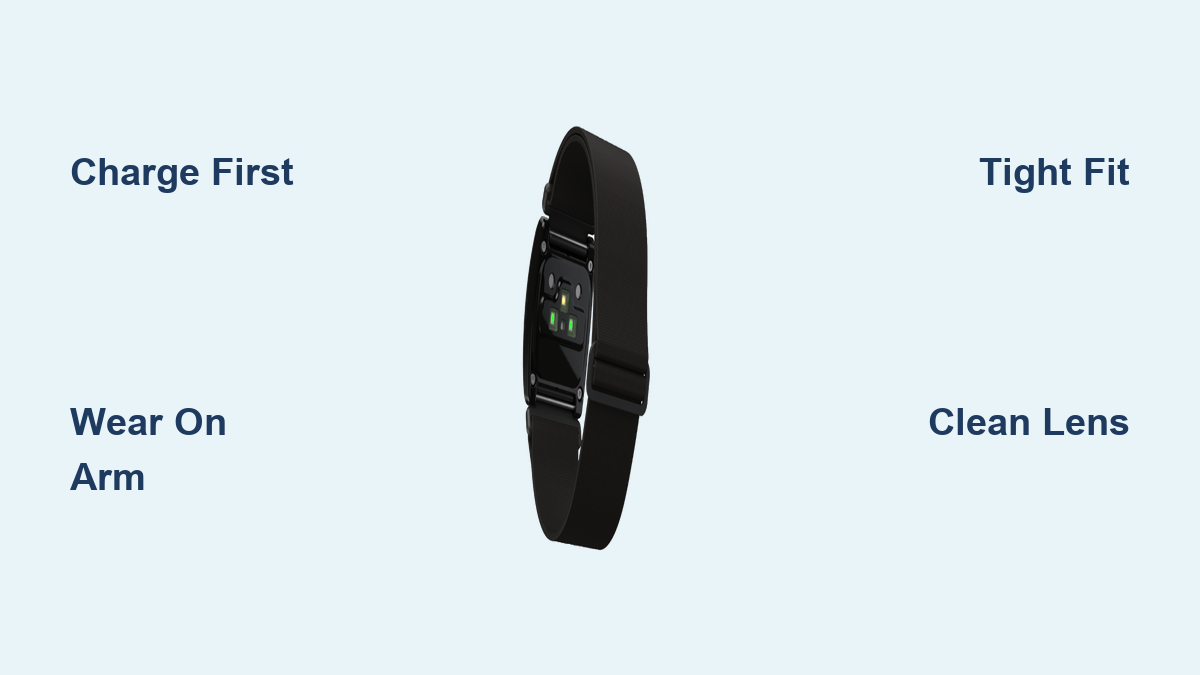
Placement and fit directly affect accuracy. Even small errors can cause erratic readings.
Choose the Right Arm Location
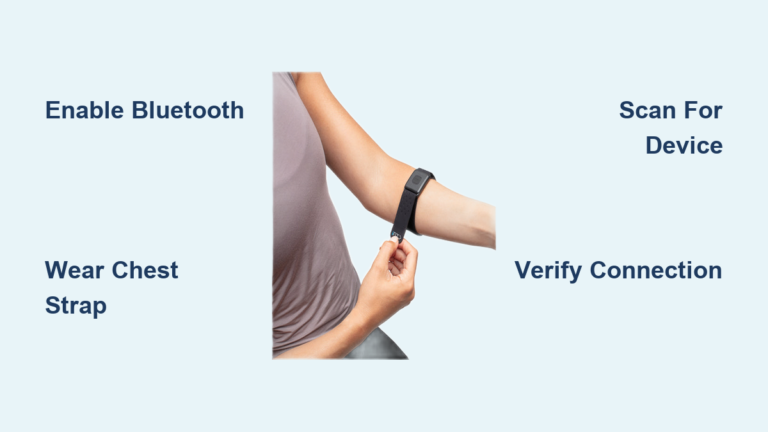
The Rhythm+ 2.0 is designed for upper-body placement. Use one of these zones:
- Upper forearm just below the elbow
- Biceps at the center of the muscle
- Triceps on the back of the upper arm
Avoid wearing it on your wrist. The wrist experiences more motion and lower blood flow, which increases reading errors during running, lifting, or cycling.
Get a Snug, Skin-Tight Fit
Follow these guidelines for optimal sensor contact:
- The band should feel snug enough to prevent sliding during activity.
- You should feel light pressure but no numbness or tingling.
- Keep direct skin contact with no fabric or clothing between sensor and skin.
- Position the sensor module flat against the arm, not tilted.
Skin Tone Note: The patented Green/Yellow optical array is engineered for accuracy across all skin tones. For deeper skin tones, extra snugness helps the light penetrate effectively.
Start Tracking Heart Rate in Real Time

Once paired and worn correctly, your monitor begins transmitting data immediately.
Begin Your Workout
- Launch your fitness app or start a workout mode on your watch.
- Start the session.
- Within 10–15 seconds, your real-time heart rate should appear on screen.
The LED stays solid blue during active transmission.
Use Heart Rate Zones for Smarter Training
Most apps let you set target zones for different training goals:
- Zone 2 for endurance base building
- Zone 4–5 for HIIT intervals and peak output
- Recovery tracking post-exercise to measure fitness gains
Over weeks of consistent training, you’ll notice trends like a lower resting heart rate and faster recovery times.
Troubleshoot Common Issues Quickly
Even reliable monitors can occasionally misbehave. Here’s how to fix the most frequent problems.
Fix Inaccurate or Spiking Readings
If your heart rate jumps erratically or doesn’t match your effort level, check these factors:
- Band looseness: Tighten slightly so the sensor doesn’t shift on your skin.
- Dirty sensors: Wipe the lens with a soft, dry cloth to remove sweat and oils.
- Wrong placement: Move from the wrist to the forearm or bicep.
- Wet or hairy skin: Dry thoroughly and press firmly to ensure full contact.
If the signal drops, restart pairing by powering off and back on.
Resolve Connection Failures
When the device won’t connect:
- Check the range: Stay within 100 feet (30 meters) of the receiver.
- Reduce interference: Move away from crowded wireless environments like gyms or races.
- Forget and re-pair: Remove “Rhythm+” from your phone’s Bluetooth list and add it again.
- Update firmware: Use the Rhythm Sync app to install the latest software.
Clean and Maintain Your Monitor
Proper care extends the life of your device and keeps the optical sensors accurate.
Clean After Every Workout
Sweat buildup damages sensors over time. Follow this routine:
- Remove the sensor module from the armband.
- Dampen a soft cloth with mild soap and cool water.
- Wipe the sensor lens, housing, and armband thoroughly.
- Rinse under running water if needed.
- Air dry completely before reassembling.
Avoid these substances on the lens or housing:
– Rubbing alcohol (can damage optical coatings)
– Bleach or harsh solvents
– Abrasive scrubbing pads
– Dishwashers or washing machines
Care for Charging Contacts
Every few weeks, dip a cotton swab in rubbing alcohol and gently clean the metal charging pins. Let them dry before charging. This prevents poor connections caused by oxidized sweat residue.
Store Your Monitor Properly
Smart storage habits extend battery life and protect internal components.
- Keep the device in a cool, dry place away from direct sunlight.
- Store it partially charged (around 50%) if you won’t use it for weeks.
- Avoid extreme temperatures by never leaving it in cars or near heaters.
- Protect it from drops and impacts.
Even when stored, check the battery every 2–3 months and recharge if it drops low.
Maximize Accuracy With Expert Techniques
A few extra habits help you get the most reliable data from your Scosche monitor.
Warm Up Before Recording Data
Cold skin reduces blood flow, which delays accurate readings. Always:
- Warm up for 5–10 minutes before starting your session
- Rub the sensor area to boost circulation
- Apply the monitor after warming up when possible
Use It Across Different Activities
The IP68 waterproof rating means you can wear it in any condition:
- Swimming: Submersible up to 1 meter (3.3 feet)
- Running: No cadence lock issues like wrist trackers
- Lifting: Stable readings during explosive movements
- Yoga and meditation: Track stress and recovery in real time
This versatility makes the Rhythm+ 2.0 ideal for cyclists using handlebar computers, swimmers tracking effort, and HIIT athletes needing precise zone data.
Frequently Asked Questions About Scosche Heart Rate Monitor
How long does the Scosche Rhythm+ 2.0 battery last?
The rechargeable battery provides up to 24 hours of continuous use on a single charge. A full charge typically takes 1–2 hours via the included USB charger.
Can I wear the Scosche monitor while swimming?
Yes. The IP68 waterproof rating allows submersion up to 1 meter (approximately 3.3 feet), making it suitable for swimming and heavy rain workouts.
Why does my Scosche heart rate monitor give erratic readings?
Erratic readings usually stem from loose fit, dirty sensors, incorrect placement on the wrist, or wet skin. Tighten the band, clean the lens with a dry cloth, move it to your forearm or bicep, and dry your skin before retrying.
Does the Scosche monitor work with Garmin watches?
Yes. The Rhythm+ 2.0 broadcasts over ANT+, which Garmin watches support natively. Add it through your watch’s sensor menu under “Add HR Monitor.”
How do I update the firmware on my Scosche monitor?
Download the free Rhythm Sync app from the iOS App Store or Google Play Store. Connect your monitor via Bluetooth and follow the prompts to install the latest firmware updates.
Is the Scosche heart rate monitor accurate for all skin tones?
The patented Green/Yellow dual optical sensor array is specifically engineered for accuracy across all skin tones. For deeper skin tones, ensuring a snug fit helps the light penetrate effectively.
Final Thoughts on Using Your Scosche Heart Rate Monitor
Learning how to use Scosche heart rate monitor devices correctly transforms them into a powerful training tool rather than just another gadget. The three most important habits are placing the sensor on your upper arm, keeping the fit snug without restricting circulation, and cleaning the optical lens regularly to prevent sweat buildup.
Pair via Bluetooth or ANT+ based on your preferred device, update firmware through the Rhythm Sync app when updates are available, and store the monitor in a cool, dry place between sessions. With these practices in place, you’ll get chest-strap-level precision without any of the discomfort.
Now that you have the setup, fit, and maintenance steps down, charge up your monitor, pair it with your favorite app, and head out for your next workout. Every beat of data you capture brings you one step closer to your training goals.