How to Connect Sole Heart Rate Monitor
You just unboxed your Sole chest strap, strapped it on, and… nothing. No reading on the console, no signal on your phone. This is the most common frustration Sole Fitness heart rate monitor owners face, and it almost always comes down to one overlooked detail: moisture. The strap uses EKG technology that requires wet electrode pads to transmit your heartbeat, so without water or sweat, the device simply stays silent.
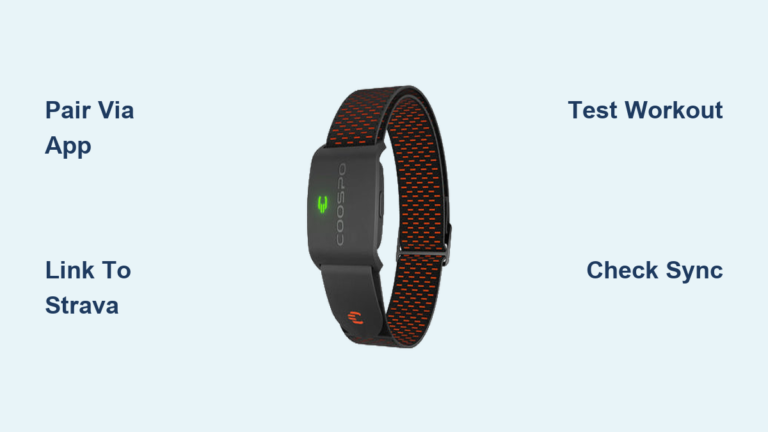
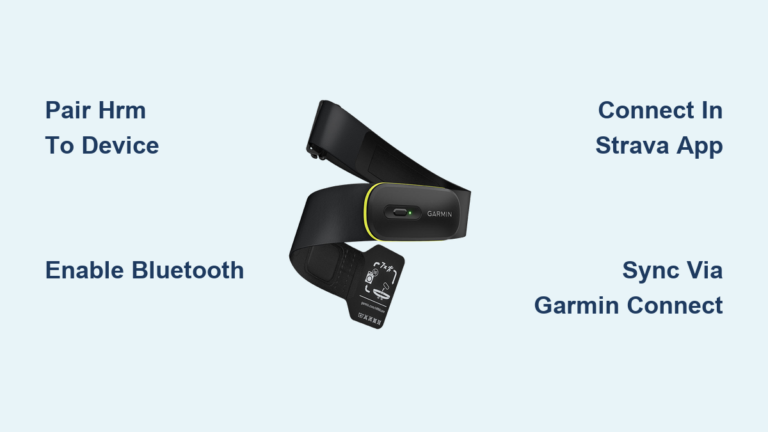
This guide breaks down exactly how to connect your Sole heart rate monitor to treadmills, ellipticals, bikes, smartphones, and apps like Zwift or Strava. You’ll learn which transmission mode to use, how to fix “no signal” errors, and why your hand grips might be sabotaging your chest strap reading.
Activate the Chest Strap Before Pairing

Unlike fitness watches with power buttons, the Sole HRM turns on automatically when it detects skin contact and moisture. Skip this step and nothing else will work.
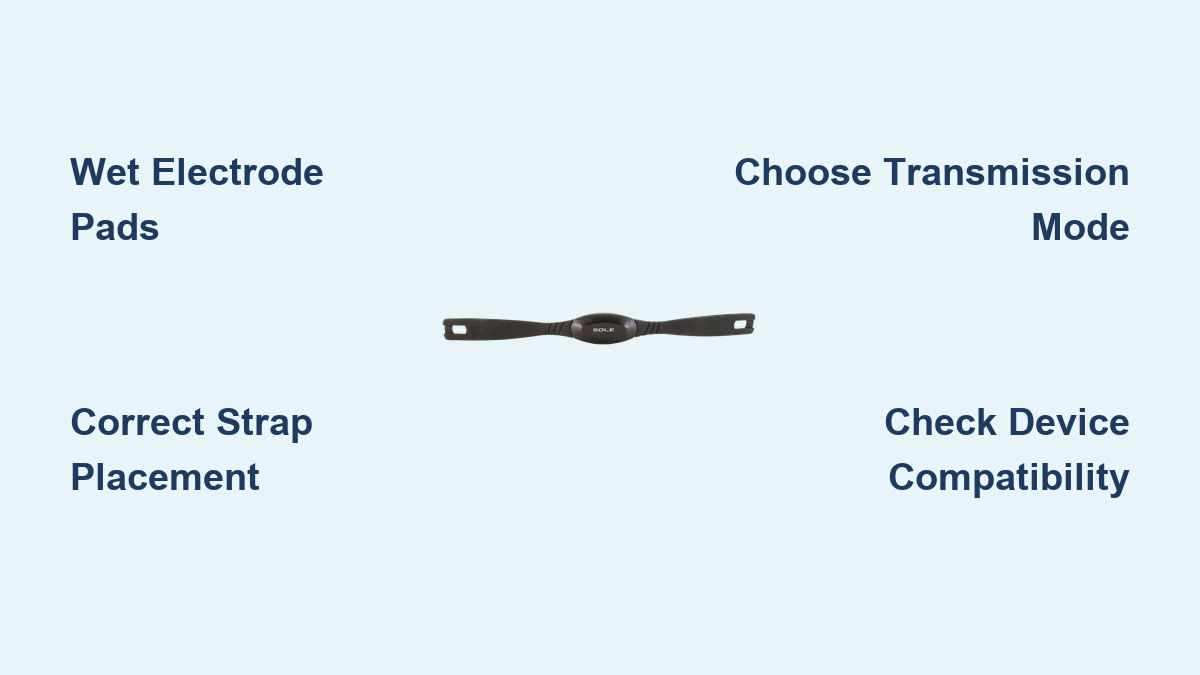
Moisten the Electrode Pads
The EKG sensor reads tiny electrical signals from your heart through your skin. Dry skin blocks that signal completely.
- Dampen the rubber electrode pads on the back of the strap with water or conductive gel
- Natural sweat also works, but pre-wetting speeds up the connection
- Avoid alcohol or lotions, as they reduce conductivity
This single step solves over 90% of “dead strap” complaints.
Position the Strap Correctly
Placement affects both comfort and signal quality.
- Wrap the strap snugly around your chest, just below the pectoral muscles
- Center the transmitter with the logo facing forward
- Ensure direct skin contact; never wear it over a shirt
- Adjust tension so it stays put during running or cycling without restricting breathing
Once moistened and positioned, the transmitter activates instantly and begins broadcasting.
Connect to Older Sole Machines via Antenna Mode
Sole treadmills, ellipticals, and bikes made between 2005 and 2018 rely on a 5.3 kHz analog signal rather than Bluetooth. No pairing menus, no settings, just wear the strap and start moving.
Confirm Your Machine Supports Antenna Mode
This method works with models including:
- Treadmills: F63, F65, F80 (2009 and later), TT8
- Ellipticals: E25, E35 (post-2009), E95S, E98
- Bikes: LCB, Sole Cycle
These consoles have built-in receivers that auto-detect the analog signal.
Start Your Workout and Wait
- Put on the moistened strap
- Step onto the machine and begin a workout
- Wait up to 60 seconds for the console to display your heart rate
No navigation required. Once your BPM appears, you can enter HR-controlled programs like HR1 or HR2.
Troubleshoot “No Signal” on Legacy Consoles
If the screen stays blank:
- Re-wet the electrode pads immediately
- Verify the transmitter sits flat and centered against your skin
- Remove your hands from the grip sensors to avoid conflicting inputs
- For F80 models (2010), allow a full 60 seconds for signal lock
Pair via Bluetooth on Modern Sole Consoles
Sole machines manufactured from 2019 onward support Bluetooth Low Energy, offering cleaner digital pairing and more stable connections in some environments.
Check Bluetooth Compatibility
Confirmed BLE-enabled models include:
- F63 (2022, 2023, 2024 editions)
- E98 Elliptical
- TT8 Treadmill (late-model)
- Sole Cycle
Look for a Bluetooth icon in the console menu or check under “Heart Rate” or “Sensors.”
Complete the Bluetooth Pairing
- Moisten and wear the chest strap
- Power on the machine and open Bluetooth settings
- Select “Search for Devices” or “Add HR Monitor”
- Choose “Sole HRM,” “SOL0573,” or a similar identifier
- Wait for confirmation; your heart rate appears within seconds
The console remembers the device for future sessions.
Fix Bluetooth Pairing Failures
When the device won’t show up or keeps dropping:
- Confirm the strap is moist and worn correctly
- Restart the console and retry the search
- Switch to antenna mode if interference persists
- On the E98, let the heart rate stabilize on the main screen before entering HR1 or HR2 programs
In high-interference environments, disabling Bluetooth forces the console to use the more reliable 5.3 kHz signal.
Connect to Smartphones and Fitness Apps

The Sole HRM’s BLE 5.0 capability makes it a solid companion for virtual training platforms and smartwatch integration.
Supported Apps and Devices
The strap works seamlessly with:
- Cycling apps: Zwift, Rouvy, Peloton
- Running platforms: Strava, Map My Run, Wahoo Fitness
- Training trackers: Endomondo, Polar Beat
- Smartwatches: Garmin and Android Wear OS devices
iPhone pairing is confirmed, though Apple Watch compatibility is not officially verified.
Pair With Your Phone
- Open your fitness app and navigate to sensor settings
- Enable Bluetooth on your phone
- Start the app’s heart rate monitor search
- Select “Sole HRM” or “SOL0573” when it appears
- Begin your workout for real-time BPM tracking
Dual transmission allows the strap to connect to your Sole machine via antenna while simultaneously streaming to your phone via Bluetooth.
Solve Common Connection Problems
Even with proper setup, signal issues can pop up. Here’s how to handle the most frequent complaints.
No Heart Rate Reading
The culprit is almost always dry electrodes.
- Wet the sensor area before every session
- Re-wet during low-sweat activities like walking
- Replace the strap if the foam pads no longer hold moisture
Conflicting Signals From Hand Grips
Gripping the hand sensors while wearing the chest strap sends two inputs to the console, causing erratic or delayed readings.
- Remove your hands from the grips
- The chest strap reading is more accurate and should take priority
- Some machines allow you to disable grip sensors in settings
Intermittent Bluetooth Drops
In gyms or homes with heavy wireless traffic:
- Switch to 5.3 kHz antenna mode
- Move your phone or tablet closer to your chest
- Restart both the app and the console
The dual-protocol design means you always have a fallback option.
Maximize Accuracy and Extend Strap Life
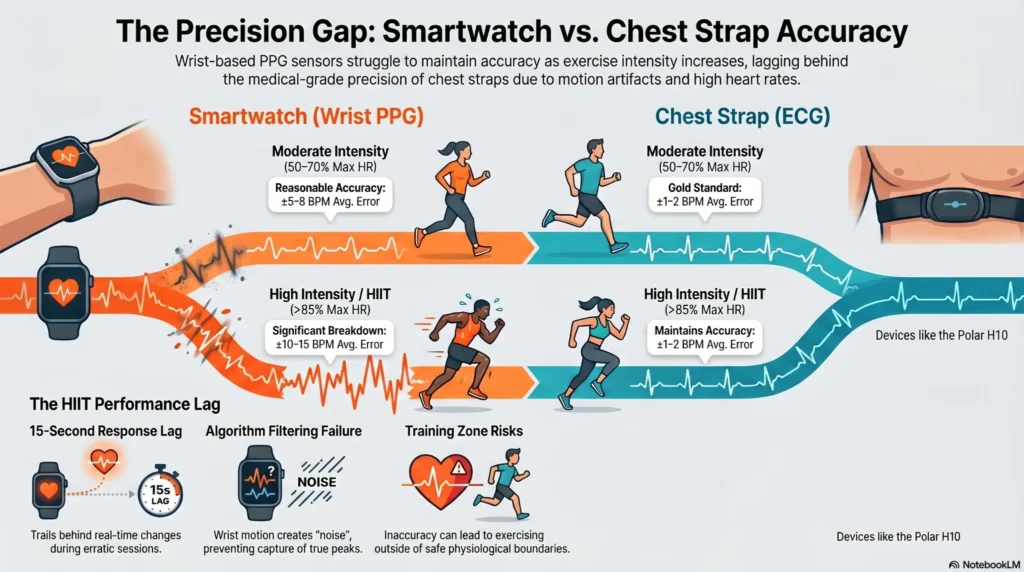
Proper fit and maintenance keep your readings precise and your equipment durable.
Why Chest Straps Outperform Hand Sensors
User testing shows hand-grip sensors on Sole treadmills can read 30 to 50 BPM higher than actual heart rate due to movement, dry hands, or poor contact. The chest strap delivers EKG-accurate readings within ±1 BPM and updates continuously without requiring you to grip anything.
Prevent Skin Irritation
The elastic band likely contains natural rubber latex, with an estimated 90% probability. If you have a latex allergy:
- Test the strap on a small skin area first
- Consider a hypoallergenic replacement band
- Consult your doctor before extended use
Rinse the strap with fresh water after intense workouts to prevent salt buildup and chafing.
Maintain the Transmitter
- Wipe the sensor module with a dry cloth; do not submerge it
- Air dry the strap fully before storing
- Replace the CR2032 battery every 12 months or when signal weakens
A well-maintained strap lasts for years of daily use.
Reduce Interference and Choose the Right Mode

Wireless signals clash easily in connected homes and busy gyms.
Identify Common Interference Sources
- Wi-Fi routers
- Cordless phones
- Microwaves
- Bluetooth earbuds and speakers
These devices can disrupt BLE signals and cause lag or disconnections.
Select the Best Transmission Mode
| Scenario | Recommended Mode |
|---|---|
| Older Sole machine without Bluetooth | 5.3 kHz Antenna |
| New machine in a clean environment | Bluetooth |
| Gym with many wireless devices | 5.3 kHz Antenna |
| Using Zwift or Peloton app | Bluetooth |
| Machine and app in use simultaneously | Dual: Antenna + Bluetooth |
The Sole HRM supports both protocols at once, so use whichever combination fits your setup.
Frequently Asked Questions About Connecting Sole Heart Rate Monitor
Why is my Sole heart rate monitor not picking up a signal?
Lack of moisture is the leading cause. The EKG sensor requires wet electrode pads to read your heartbeat. Dampen the back of the strap with water before wearing it, and re-wet during low-sweat sessions. Dry skin equals no signal.
Can I use the Sole chest strap with both my treadmill and phone at the same time?
Yes. The dual-transmission design broadcasts via 5.3 kHz analog and Bluetooth simultaneously. You can connect to your treadmill console through antenna mode while streaming to Zwift or Strava on your phone via BLE.
Does the Sole heart rate monitor work with Apple Watch?
Official confirmation is pending, but the device uses standard BLE 5.0 heart rate profiles. Most users report successful pairing, though results may vary by watch generation and iOS version.
How long does the battery last in the Sole HRM?
The CR2032 coin cell battery lasts approximately 12 months with daily one-hour workouts. Signs of a dying battery include delayed signals, intermittent readings, or failure to appear in Bluetooth device lists.
Is the Sole chest strap safe for people with pacemakers?
The manufacturer recommends consulting your cardiologist before use. The device emits electronic signals through antenna and Bluetooth transmission, which may interfere with implanted medical devices.
Which Sole treadmill models are compatible with this heart rate monitor?
All Sole treadmills manufactured after 2005 are compatible, including the F63, F65, F80, and TT8. Older models use the 5.3 kHz antenna method, while 2019+ consoles support Bluetooth pairing.
Key Takeaways for Connecting Your Sole Heart Rate Monitor
Success comes down to three essentials: moisture, correct placement, and choosing the right transmission mode. Always wet the electrode pads before wearing the strap, position it snugly below your pecs, and match your connection method to your equipment. Older Sole machines use the 5.3 kHz antenna, while modern consoles and apps rely on Bluetooth.
For the most reliable experience, start your next workout by dampening the strap, stepping onto your machine, and waiting up to 60 seconds for the signal to lock. If you run into problems, check moisture first, then switch transmission modes to isolate interference. With these habits, you’ll get accurate, real-time heart rate data every session.