Fix Apple Watch Cardio Fitness Not Working
You’ve been logging outdoor runs and walks, but your Apple Watch isn’t updating your Cardio Fitness (VO2 Max) data. You check the Health app, and either the metric shows “None,” doesn’t appear at all, or stopped updating after a software update or device upgrade. You’re not alone. This is a widespread issue across Apple Watch models from Series 4 to Ultra 2. The good news: your watch likely works fine. More often than not, the problem lies in settings, permissions, or misunderstood tracking rules.
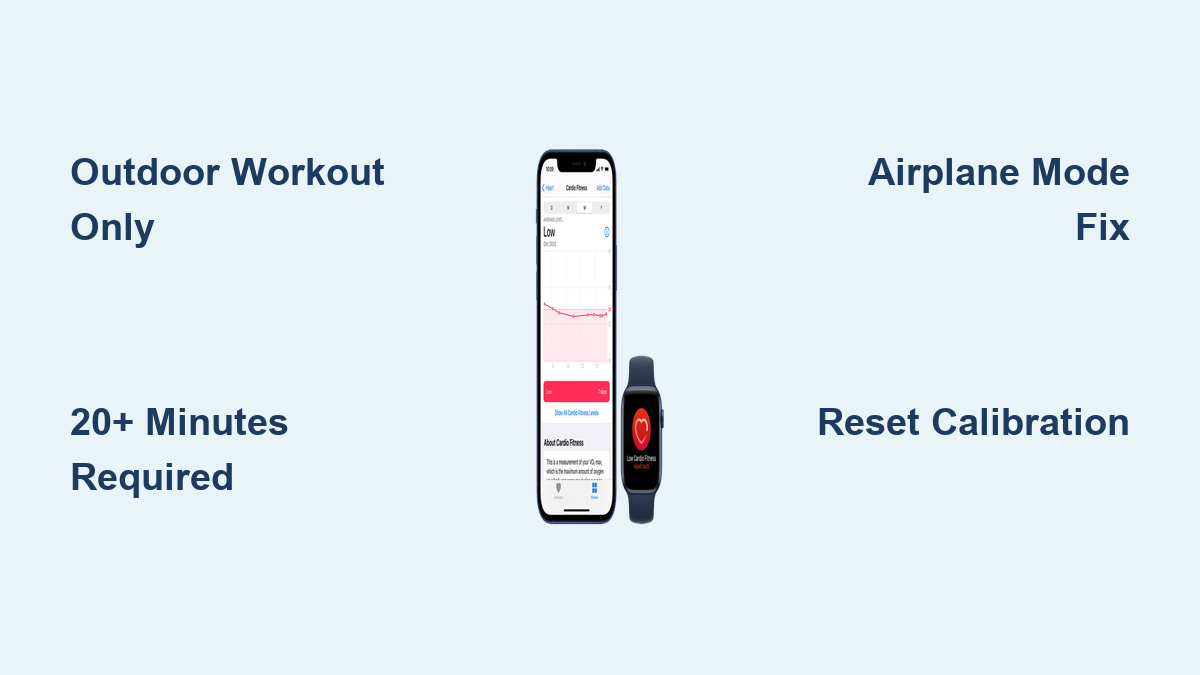
Cardio Fitness on Apple Watch uses heart rate and movement data to estimate your VO2 Max during specific outdoor workouts. But unlike basic heart rate tracking, it has strict requirements. Only Outdoor Walk, Run, Hike, or Cycle workouts lasting 20+ minutes count. Even then, incorrect settings or background sync issues can block data. We’ll cover how to verify your configuration, reset calibration, use the powerful Airplane Mode fix, and prevent future dropouts.
Verify Supported Workout Types
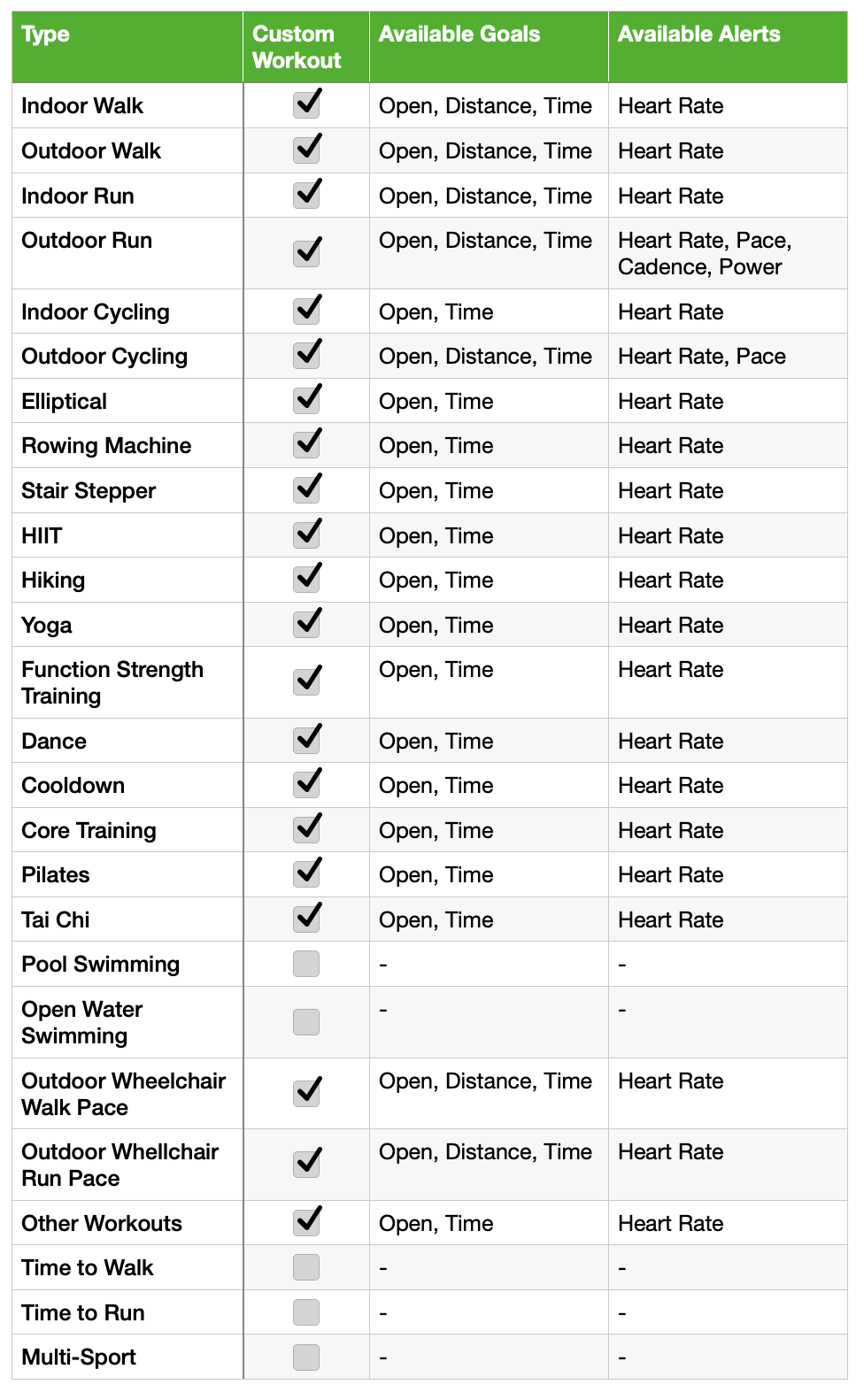
The most common reason for missing Cardio Fitness data is using the wrong activity type. Apple Watch only calculates VO2 Max during specific outdoor workouts. Indoor or generic exercises won’t trigger it.
Only Outdoor Activities Count
Apple’s algorithm requires GPS-linked movement to estimate aerobic capacity. These are the only supported workout types:
- Outdoor Walk
- Outdoor Run
- Outdoor Hike
- Outdoor Cycle
Indoor Run, Indoor Walk, Elliptical, or “Other” workouts do not generate VO2 Max, no matter how intense or long they are. Even if your heart rate spikes on a treadmill, the lack of GPS correlation prevents the calculation.
Avoid Common Activity Mistakes
Many users unknowingly select the wrong workout mode. Here’s how to ensure accuracy:
- Always choose Outdoor Run, not “Run” or “Indoor Run”
- For treadmill use, no current workaround exists. VO2 Max will not record
- Cycling counts, but some users report lower priority than running or walking
- Double-check workout labels in the Health app post-exercise
Pro Tip: If you rely on indoor cardio, consider using third-party apps that estimate fitness metrics, but know Apple’s native Cardio Fitness won’t track them.
Confirm Minimum Workout Requirements

Even with the correct activity selected, your workout must meet strict duration and intensity thresholds to generate a VO2 Max reading.
Workout Must Last 20+ Minutes
The Apple Watch requires at least 20 consecutive minutes of sustained activity. Shorter sessions, even if intense, will not produce a result. Aim for 20 to 25 minutes to ensure the system captures enough data.
Maintain Brisk Intensity
Low-intensity movement, even outdoors, may not qualify. The watch measures how hard your heart works relative to your max effort. To trigger the estimate:
- Walk or run at a brisk pace (typically 3 to 4 mph or faster)
- Avoid stopping frequently or walking too slowly
- Let your heart rate rise steadily during the session
Visual Cue: After a successful workout, you’ll see a Cardio Fitness chart in the Health app under Heart > Cardio Fitness. If it’s missing, one of these thresholds wasn’t met.
Check Critical Settings and Permissions
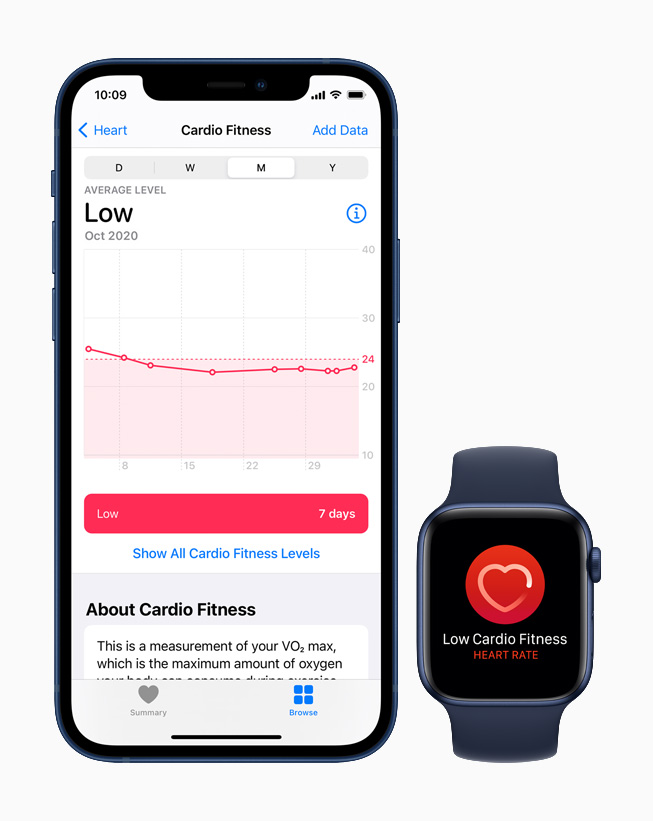
Incorrect privacy or sync settings are a leading cause of missing Cardio Fitness data. Even a single disabled toggle can break the entire pipeline.
Enable Cardio Fitness in Health App
If the feature is turned off, your watch won’t attempt to calculate VO2 Max.
- Open the Health app on your iPhone
- Tap Browse > Heart > Cardio Fitness
- Ensure the Cardio Fitness toggle is ON
If it’s off, enable it and complete a qualifying workout to test.
Verify Motion and Fitness Access
Without motion data access, the watch can’t share workout intensity metrics.
- Go to iPhone Settings > Privacy & Security > Motion & Fitness
- Confirm Fitness Tracking is enabled
- Ensure the Health app has permission to use motion data
Turn On Health iCloud Sync
Data may fail to save or appear if iCloud Health sync is disabled.
- Go to Settings > [Your Name] > iCloud > Show All
- Ensure the Health toggle is ON
This ensures your Cardio Fitness data syncs across devices and persists after updates.
Validate Apple Watch Privacy Settings
The Watch app on your iPhone controls key permissions that affect health tracking.
Enable Fitness and Heart Rate Tracking
Open the Watch app on your iPhone:
- Tap My Watch > Privacy
- Confirm both Fitness Tracking and Heart Rate are ON
If either is off, the watch won’t collect the data needed for VO2 Max.
Disable Power Saving Mode
Users consistently report that Power Saving Mode blocks VO2 Max calculation.
- During workouts, ensure Power Saving Mode is OFF
- This mode limits background processes and heart rate logging
- Even if GPS and heart rate seem active, the full dataset may not be captured
Warning: Enabling Power Saving Mode during a workout may result in incomplete data, even if the workout appears normal.
Update iOS and watchOS
Outdated software is a frequent culprit, especially after new watch releases or major iOS updates.
Install Latest Updates
Both devices must run current software:
- iPhone: Settings > General > Software Update
- Apple Watch: Watch app > General > Software Update
Even brand-new watches may need immediate updates to fix known bugs in health metric processing.
Why Updates Matter
Apple has released patches specifically for VO2 Max tracking bugs. For example:
- Some Series 7 units shipped with outdated firmware
- watchOS updates have addressed GPS-heart rate sync issues
- Background health data processing has been optimized in recent versions
Always update both devices before attempting hardware resets.
Perform Fitness Calibration Reset
If settings are correct but data still won’t update, corrupted calibration data may be the issue.
Reset Calibration Data
This clears your stride length, pace, and fitness model so the watch can re-learn your patterns.
- Open the Watch app on iPhone
- Go to My Watch > Privacy > Reset Fitness Calibration Data
- Tap Reset
Re-Calibrate with Outdoor Workouts
After resetting:
- Complete a 20+ minute Outdoor Walk or Run
- Maintain steady pace and GPS connection
- Repeat for 2 to 3 days if needed
Many users see VO2 Max return within 48 hours of recalibration.
Note: Don’t expect instant results. The algorithm needs consistent data to rebuild your fitness profile.
Use the Airplane Mode Fix
One of the most effective and user-verified solutions is the Airplane Mode method, which forces the watch to process data locally.
Why It Works
When connected to the iPhone, background sync issues or Bluetooth interference can disrupt data logging. Airplane Mode isolates the watch, ensuring all sensor data is captured and processed independently.
Step-by-Step Airplane Mode Workout
- On your Apple Watch, enable Airplane Mode (turn off Bluetooth and Wi-Fi if prompted)
- Start an Outdoor Walk or Outdoor Run directly on the watch
- Exercise for 20 to 25 minutes at a brisk pace
- Keep the watch disconnected. Do not open Workout on iPhone
- End the workout on the watch
- Disable Airplane Mode and wait for data to sync
Real User Results
Multiple reports confirm:
- Workouts connected to iPhone: No VO2 Max
- Same workout in Airplane Mode: VO2 Max recorded successfully
This fix is particularly effective after software updates or device upgrades.
Manually Trigger Data Recording
In rare cases, the Health app database may need a “seed” to start logging again.
Add a Manual VO2 Max Entry
- Open the Health app
- Tap Browse > Heart > Cardio Fitness
- Tap Add Data (top-right)
- Enter a realistic VO2 Max value (e.g., based on past data or age/gender averages)
- Set the date to today or yesterday
- Save
Follow with a Qualifying Workout
Immediately perform a 20+ minute Outdoor Run or Walk. The manual entry appears to signal the system to resume automatic tracking.
Example: A user with no data for weeks restored tracking after entering a dummy value of 38 mL/kg/min and completing a 25-minute outdoor walk.
Restart and Re-pair Devices
If all else fails, system-level resets can resolve deep sync or communication issues.
Force Restart Apple Watch
This clears temporary glitches:
- Press and hold the Side Button and Digital Crown for 10+ seconds
- Release when the Apple logo appears
Wait for reboot and test with a short outdoor walk.
Unpair and Re-pair Your Watch
As a last resort:
- In the Watch app, tap your watch > Info > Unpair Apple Watch
- Back up your data when prompted
- Wait for unpairing to complete
- Set up the watch as new or restore from backup
- Re-enable all health permissions
This reinstalls watchOS and resets all device communication.
Caution: Only do this after backing up. It takes 15 to 30 minutes but resolves persistent sync failures.
Understand Post-Upgrade Data Drops
Users upgrading from older models (Series 1 to 4) to newer ones (Series 6, 7, Ultra) often see sudden VO2 Max drops.
Why Scores Drop After Upgrade
- Newer watches have more accurate sensors and refined algorithms
- The initial estimate may be conservative until calibration completes
- Differences in heart rate detection can affect efficiency calculations
Allow 2 to 3 Days for Calibration
After upgrading:
- Perform daily 20+ minute Outdoor Walks or Runs
- Avoid comparing scores directly to old device
- Let the watch collect data to establish a new baseline
One user reported a jump from 30 to 39 mL/kg/min after four calibration workouts.
Prevent Future Tracking Failures
Keep Cardio Fitness working reliably with these proactive steps.
Weekly Maintenance Routine
- Check settings monthly: Ensure Fitness Tracking, iCloud Health, and Cardio Fitness toggles are on
- Clean sensors weekly: Wipe the back of the watch with a dry, lint-free cloth
- Tighten band during workouts: Loose fit equals poor heart rate and failed VO2 Max
- Avoid Power Saving Mode during cardio sessions
Optimize Workout Habits
- Stick to Outdoor Walk, Run, Hike, or Cycle
- Aim for 25 minutes to exceed the 20-minute threshold
- Let the watch sync fully before checking Health app
Pro Tip: If data doesn’t appear immediately, wait 1 to 2 hours. Sync delays are common, especially after long workouts.
Frequently Asked Questions About Apple Watch Cardio Fitness
Why does my Apple Watch Cardio Fitness show “None” in Data Sources?
This usually means the watch isn’t recognized as an input source for VO2 Max. Check that the Cardio Fitness toggle is ON in the Health app under Browse > Heart > Cardio Fitness. Also verify Fitness Tracking is enabled in iPhone Settings > Privacy & Security > Motion & Fitness.
Can I get VO2 Max from indoor running on a treadmill?
No. Apple Watch does not calculate VO2 Max for indoor workouts, including treadmill running and elliptical training. Only Outdoor Walk, Run, Hike, or Cycle workouts with GPS data qualify. Third-party apps may offer alternatives.
How long does my outdoor workout need to be for Cardio Fitness to record?
At least 20 consecutive minutes of brisk activity. Aim for 20 to 25 minutes to ensure the system captures enough data. Shorter sessions or low-intensity movement will not trigger a VO2 Max estimate.
Why did my VO2 Max drop after upgrading to a new Apple Watch?
Newer watches have more accurate sensors and refined algorithms. The initial estimate may be conservative until the watch completes calibration. Perform daily 20+ minute outdoor workouts for 2 to 3 days to establish a new baseline.
Does Power Saving Mode affect Cardio Fitness tracking?
Yes. Users report that Power Saving Mode blocks VO2 Max calculation by limiting background processes and heart rate logging. Always turn Power Saving Mode OFF during cardio workouts.
What is the Airplane Mode fix for Cardio Fitness?
Enable Airplane Mode on your watch, complete a 20 to 25 minute Outdoor Walk or Run directly on the watch, then disable Airplane Mode. This isolates the watch from iPhone sync issues and forces local data processing, which many users report successfully restores VO2 Max recording.
Key Takeaways for Restoring Apple Watch Cardio Fitness
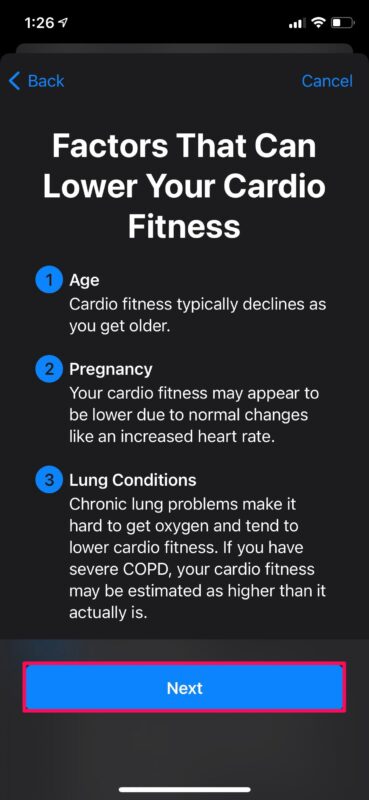
Start with the basics. Confirm you’re doing an Outdoor Walk, Run, Hike, or Cycle lasting at least 20 minutes at a brisk pace. Then verify every toggle: Cardio Fitness in Health, Fitness Tracking in iPhone Privacy, Heart Rate in Watch Privacy, and Health in iCloud sync. Keep both iOS and watchOS updated.
If settings look correct but data still won’t appear, try the Airplane Mode workout method or reset your fitness calibration data. Most users restore Cardio Fitness tracking within a day or two using these steps. Run a 25-minute outdoor workout today with Airplane Mode enabled and check your Health app afterward.