How to Use Coospo Heart Rate Monitor
A reliable heart rate monitor can turn scattered workouts into focused, data-driven training. The Coospo H808S chest strap delivers real-time BPM tracking, heart rate variability (HRV) insights, and dual Bluetooth and ANT+ connectivity at an entry-level price point. If you’re learning how to use Coospo heart rate monitor for the first time, the process is simpler than you might expect. This guide covers activation, pairing, workout tracking, battery care, and troubleshooting so you can start capturing accurate data within minutes.
Activate the H808S With Proper Skin Contact
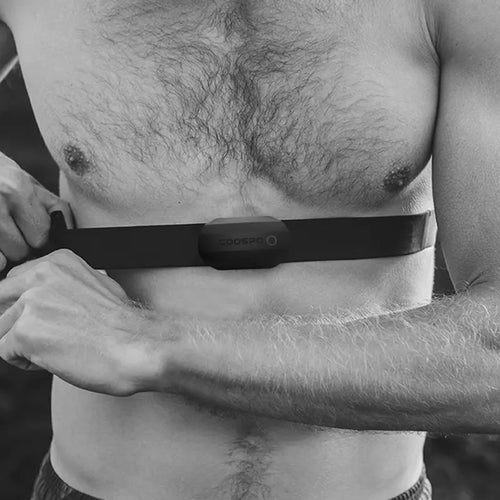
The Coospo H808S has no power button. It uses automatic skin-contact detection to turn on and off, which catches many new users off guard.
Position the Strap on Bare Skin
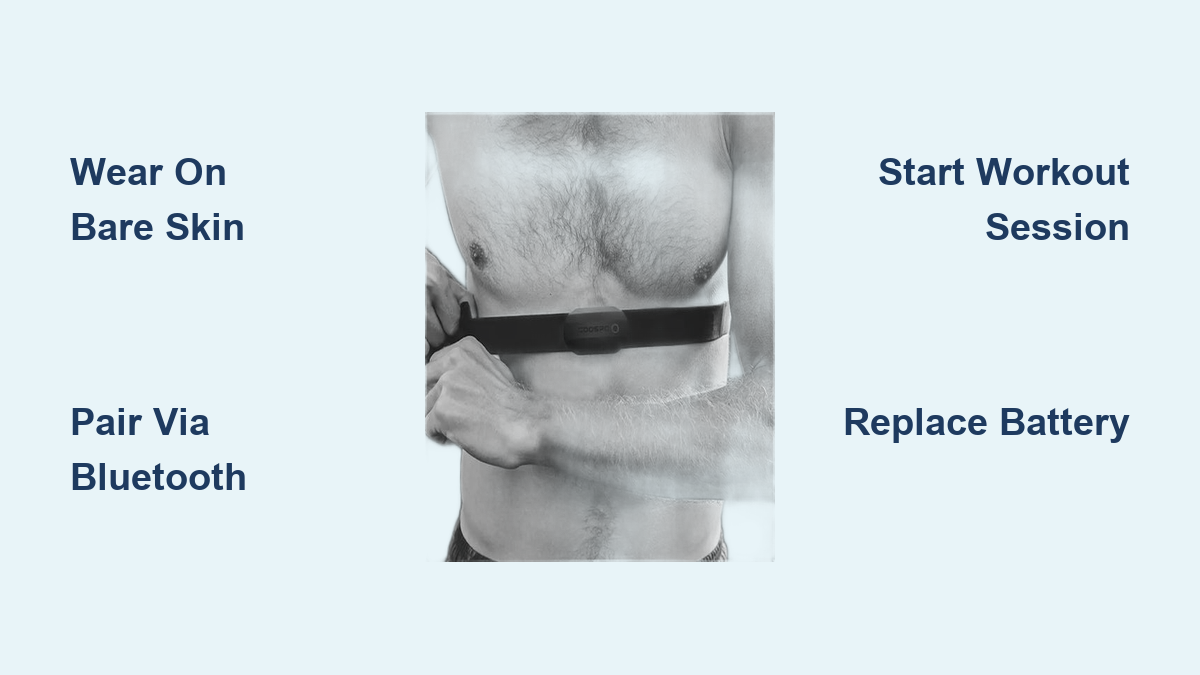
Place the strap snugly around your torso, just below the pectoral muscles. The electrode pads must touch bare skin with no clothing between them. Dry skin or a loose fit often prevents activation, so lightly moisten the electrode areas if your skin tends to be dry. The LED indicator will flash once conductivity is detected, confirming the sensor is live.
Confirm Automatic Power-On and Shutdown
You don’t need to press anything to start the device. The sensor detects skin contact and powers on within seconds. If the LED doesn’t light up, recheck strap placement, clean and dampen the electrodes, and try repositioning the sensor module. When you remove the strap, the device powers off automatically after a few seconds.
Pair the Sensor via Bluetooth or ANT+

The H808S supports both Bluetooth and ANT+ protocols, making it compatible with smartphones, smartwatches, cycling computers, and gym equipment.
Connect Through Bluetooth on Your Phone
- Open your fitness app, such as the Coospo app, Strava, or Zwift.
- Navigate to settings or sensors.
- Enable Bluetooth on your phone.
- Start scanning for heart rate monitors.
- Select “H808S” from the device list.
- Wait for pairing confirmation, usually indicated by a steady LED blink.
Once paired, the connection is typically saved for future sessions.
Use ANT+ With Sports Watches and Cycling Computers
For Garmin, Wahoo, or similar devices:
1. Power on your watch or head unit.
2. Navigate to Sensors, then Add New.
3. Select Heart Rate Monitor.
4. Choose ANT+ search mode.
5. The device should detect the H808S automatically while you wear the strap.
Keep the sensor close to the receiving device during pairing to avoid delays from electronic interference.
Start a Workout Session to Capture Full Metrics
One of the most common mistakes is expecting full data, like heart rate zones, distance, and calories, without launching a workout session in the app.
Launch a Run or Ride Mode
If you only see live BPM but no zones, speed, or distance:
– Open the Coospo app or a compatible third-party app.
– Tap “Start Run” or “Start Ride.”
– Begin moving.
Only then will the app log cumulative data. A passive connection shows live heart rate only, which is normal behavior, not a defect.
Track Zones, HRV, and Calories
During an active session, the app displays:
– Current BPM
– Heart rate zone breakdown (Fat Burn, Cardio, Peak)
– HRV trends
– Duration and estimated calorie burn
These metrics help you adjust intensity and train with purpose.
Maintain Accuracy and Comfort During Training

Even a high-quality sensor delivers poor data if worn incorrectly. Small adjustments make a measurable difference.
Adjust Strap Position and Tightness
Wear the strap directly on the skin, about one inch below the chest muscles. The sensor module should sit centered on your back or side. Flip the module so the logo faces outward and the electrodes face inward. The strap should feel snug without restricting breathing. If it bounces during jumps or sprints, tighten it slightly. If it feels uncomfortable, loosen it a fraction.
Use the Strap During HIIT and Weight Training
The H808S performs reliably during high-intensity intervals and resistance workouts. Users report stable tracking through burpees, squats, and circuit sets. The secure fit prevents slipping, and real-time feedback helps you manage recovery between sets.
Replace the CR2032 Battery When Needed
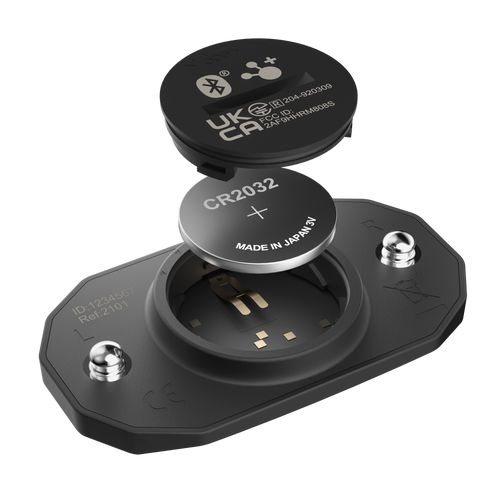
The H808S runs on a standard CR2032 coin cell battery. There’s no charging cable; simply swap the cell when performance declines.
Watch for Low Battery Symptoms
Signs of a dying battery include:
– LED fails to light up
– Intermittent connection drops
– Delayed activation
– Inconsistent heart rate readings
The battery lasts approximately 300 hours of active use, which translates to roughly one to two years for most users.
Swap the Battery Correctly
- Remove the sensor module from the strap.
- Use a small tool to twist the back cover counterclockwise.
- Remove the old battery.
- Insert a fresh CR2032 with the positive side facing up.
- Reattach the cover securely.
Always use a fresh, high-quality battery. Avoid rechargeable lithium variants like the LiR2032, as they may not deliver stable voltage.
Clean and Store the Strap for Long-Term Use
Sweat, salt, and grime break down elastic materials over time. Routine maintenance extends strap life and keeps the sensor hygienic.
Rinse After Every Workout
After training:
– Remove the sensor module.
– Rinse the strap under cool water.
– Wipe the sensor with a damp cloth.
– Air dry completely before storing.
Do not machine wash or submerge the sensor module.
Store the Strap Properly
Avoid leaving the strap in direct sunlight or hot environments like a car interior. Store it in a dry place, loosely coiled. Never fold or crease the elastic band, as this weakens the fibers and shortens lifespan.
Troubleshoot Common Issues Quickly
Most H808S problems have simple fixes that don’t require returns or replacements.
Fix: No Connection to App or Watch
If your device won’t detect the sensor:
– Ensure solid skin contact.
– Lightly moisten the electrode areas.
– Restart Bluetooth on your phone or watch.
– Close and reopen the app.
– Try pairing again while wearing the strap.
Wait about 10 seconds after skin contact before scanning.
Fix: Only Live HR Appears, No Zones
This is expected behavior. To record distance, pace, zones, and calories, you must start a workout session in the app. A background connection only streams live heart rate.
Fix: LED Doesn’t Light Up
Check the following:
– Battery polarity (positive side up).
– Corrosion in the battery compartment.
– Moisture interfering with contacts.
– Strap positioning on bare skin.
Replace the battery if it’s older than 18 months.
Maximize Value and Plan Around Shipping
At $35.09, the H808S delivers premium features at an entry-level cost. Smart purchasing and care habits protect that investment.
Use the 30-Day Return Window
If the unit arrives damaged or defective:
1. Email support@coospo.com.
2. Expect a response within 24 hours.
3. Follow the return instructions provided.
Returns are accepted within 30 days of delivery. Keep the original packaging until you’ve fully tested the device.
Order Early for Race Season
Standard processing takes one to two business days. Delivery estimates vary by region:
– United States and Western Europe: 5–8 business days
– Canada, Australia, and parts of Asia: 7–12 business days
– Remote areas like Brazil or Indonesia: up to 35 business days
If you need the device for a specific event, order at least six weeks in advance. Free shipping applies to orders over $29, and standard shipping costs $4.99 below that threshold.
Pair With the Free Coospo App
The official Coospo app is free, stable, and full-featured. It tracks real-time heart rate, HRV trends, workout history, zone distribution, and speed or distance when GPS is enabled. You can also sync data with Strava, MyFitnessPal, or TrainingPeaks through app settings.
Frequently Asked Questions About the Coospo Heart Rate Monitor
How do I turn on the Coospo H808S heart rate monitor?
The H808S has no power button. It activates automatically when the electrode pads detect skin contact. Wear the strap snugly on bare skin just below the chest muscles, and the LED will flash to confirm activation.
Why does my app only show live heart rate and no zones?
This is normal. The app only logs cumulative data like zones, distance, and calories when you actively start a workout session, such as Run or Ride mode. A passive connection streams live BPM only.
Which devices and apps work with the Coospo H808S?
The H808S connects via Bluetooth and ANT+. It works with iOS and Android smartphones, Garmin and Wahoo watches, cycling computers, and gym equipment like Peloton. Compatible apps include the Coospo app, Strava, Zwift, and many others.
How long does the battery last on the Coospo H808S?
The CR2032 coin cell battery provides approximately 300 hours of active use. For most users, this equals one to two years before replacement is needed.
Can I wear the Coospo H808S during weight lifting or HIIT?
Yes. The strap stays secure during high-intensity movements like burpees, squats, and interval sets. Users report stable tracking and accurate data throughout resistance and interval training.
What should I do if the sensor won’t pair with my phone?
Confirm solid skin contact, lightly moisten the electrodes, restart Bluetooth, and try pairing again while wearing the strap. Wait about 10 seconds after skin contact before scanning for devices.
Key Takeaways for Using the Coospo H808S Heart Rate Monitor
Mastering how to use Coospo heart rate monitor comes down to three essentials: wear the strap snugly on bare skin for automatic activation, pair through Bluetooth or ANT+ before each session, and always start a workout mode in the app to capture full metrics. With proper care, timely battery replacement, and routine cleaning, the H808S delivers reliable, accurate performance for runners, cyclists, and lifters at a price that fits almost any budget. Strap it on, start a session, and let the data guide your training.